
Place text in quotation marks for exact match search results.
Adding Users
You can add users and assign them to an appropriate access level.
For example, to allow someone to log on and access reports, create a user name for that
individual and assign them to the group called Report group.
On the Navigation pane of the Provisioning
tab, click Accounts > Users.
The Users list is shown in the middle pane. The
Tasks pane shows the different groups of tasks that you can use
to manage the user accounts, for example, User Access.
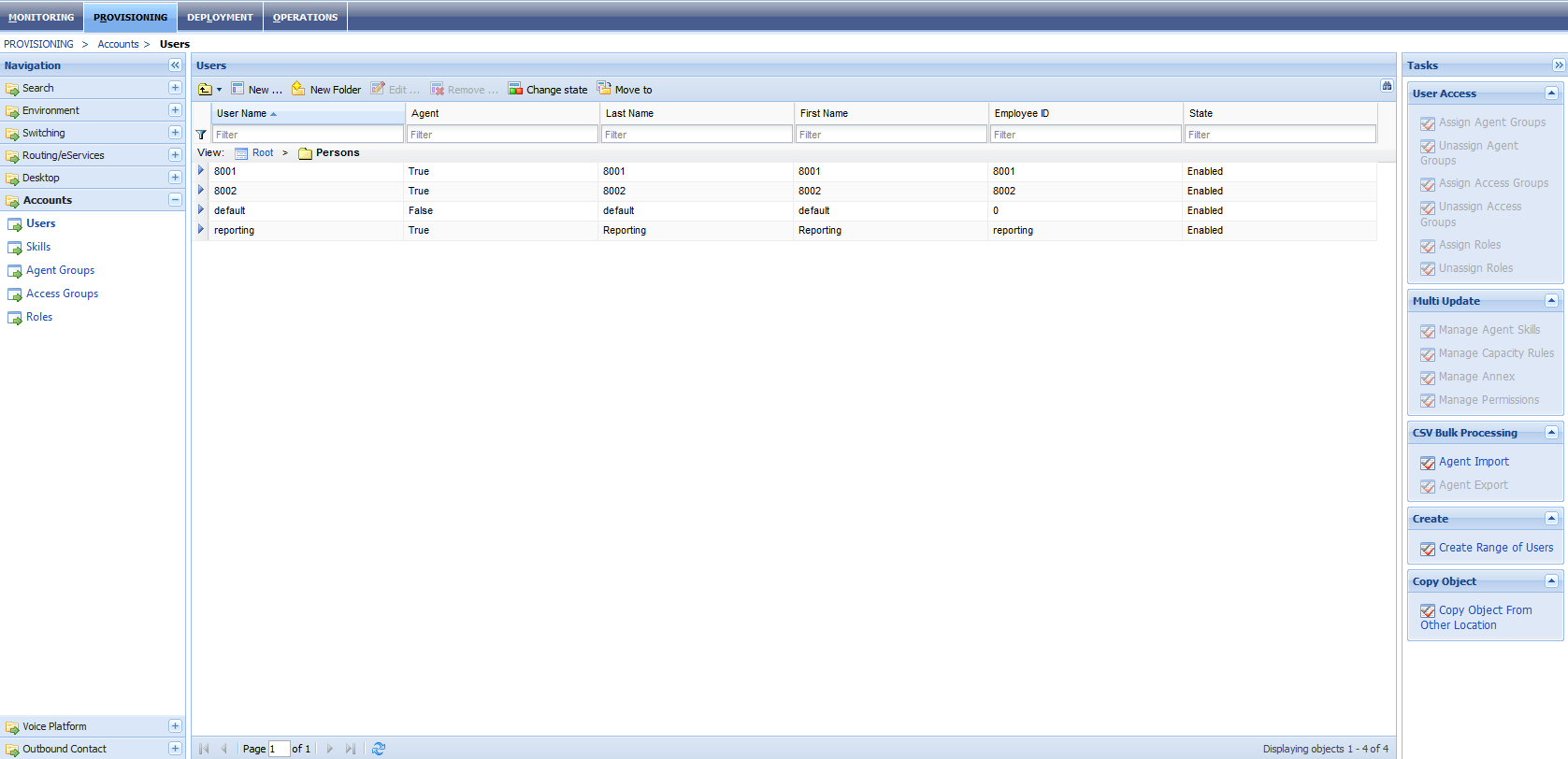
Click New on the toolbar above the user list. By default, the
General group of fields on the
Configuration tab are displayed.
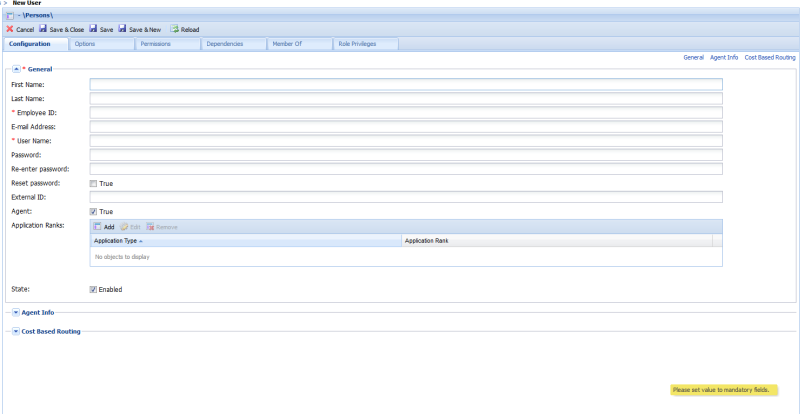
Complete the fields. Note the mandatory fields (with asterisks).
Proceed to the Agent Info and Cost Based
Routing fields, if applicable.
Click Save.
Note: Among the other tasks that the Users pane allows you to
perform are: edit user accounts, add users to groups, and set user permissions.