
Editing Remarks

The Edit Remark screen allows you to edit existing remarks.

  1. On the List of Remarks screen, select the remark you want to edit.
  2. From the Options list, select Edit and click Go.
    The Edit Remark screen appears.
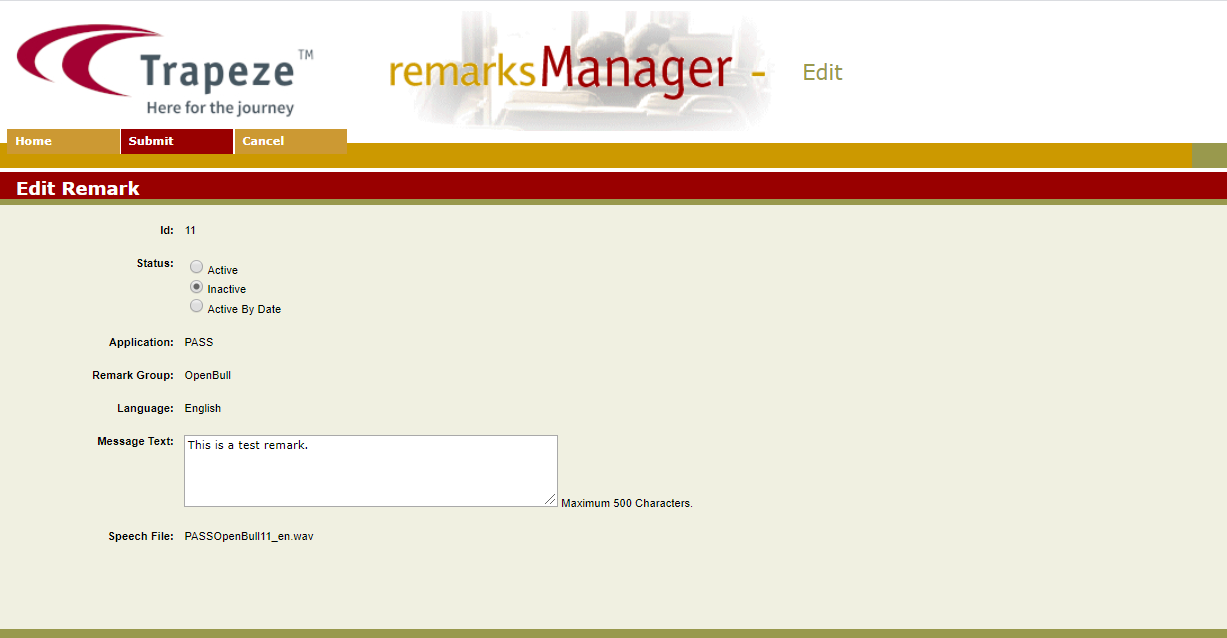
    Edit Remarks screen
  3. Make the changes you want.
  4. Click Submit on the screen toolbar.
    An information page confirms that the selected remarks has been updated.
  5. Click OK to return to the Remarks Manager screen.