
Test 1: Signing On
The purpose of this test case is to demonstrate that Floodgate Messaging opens when users sign on.
-
To test signing on with a valid user name and password:
Before performing the substeps, make sure you have a valid user name and password.
- Open Floodgate Messaging.
- Enter a valid username and password.
- Click Login.
The main page of Floodgate Messaging opens.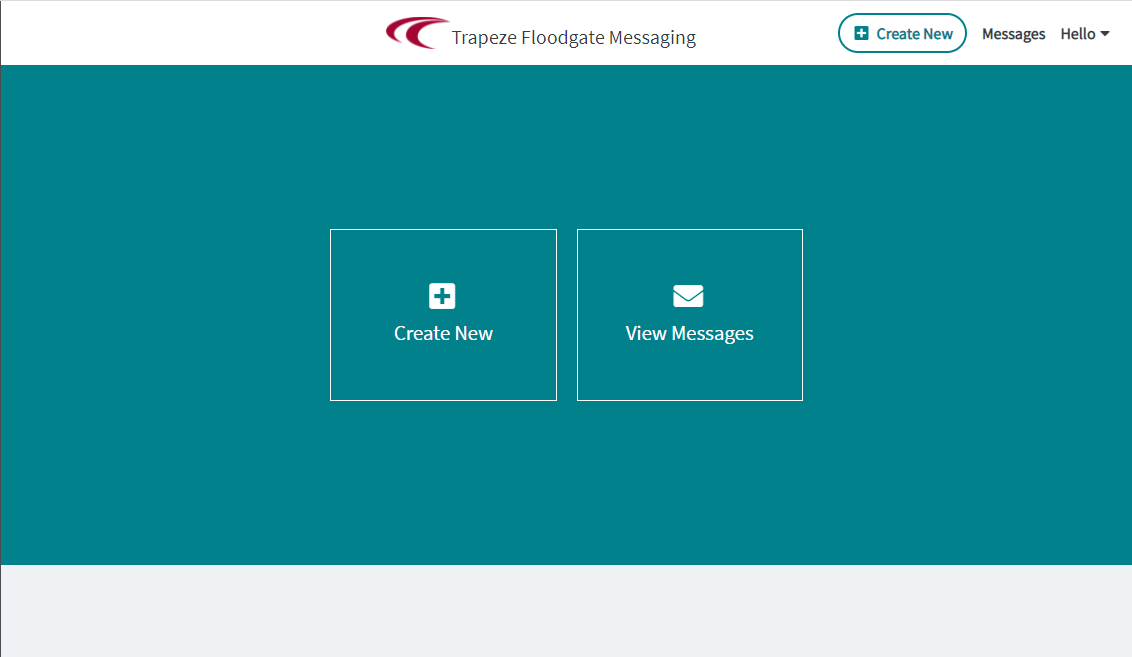
-
To test signing on without a valid user name or password:
Before performing the substeps, decide on the invalid username or password to be entered.
- Open Floodgate Messaging.
- Enter an invalid username or password.
- Click Login.
An error message appears stating that the username or password is invalid. -
To test signing on without a security permission:
Before performing the substeps, make sure you have the login information of a user who has been denied permission to access Floodgate Messaging.
- Open Floodgate Messaging.
- Enter the username or password of a user who has been denied the security permission.
- Click Login.
The user appears logged on and the Logout button is shown. A message also appears stating that the user is not authorized to access the page and for the user to contact the administrator to request access.