
Adding Titles
Titles are forms of addresses added to the surnames or full names of clients, typically used when corresponding with clients as a form of respect.
-
On the main menu, click .
The Titles screen appears.
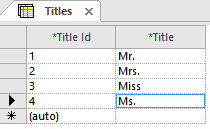
-
Click the Add New button:

-
Click the Save button:
