
Configuring the CTM Server
You must set the data source and user credentials if using the CTM Server for the first time.
-
Click CtmSrv41.exe in the Bin folder.
The CTM Srv dialog appears.
-
Click .
The CtmSrv Configuration dialog appears.
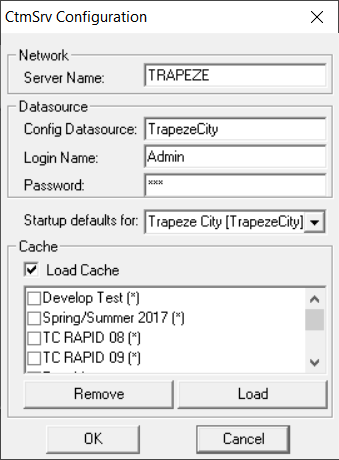
- In the Server Name field, type the Server name, for example, Trap19.
- .In the Config Datasource field, type the datasource, for example, mmscfg.
- In the Login Name and Password fields, type your login and password, respectively.
- Click OK and close the dialog.
-
Close the CTM Server.
To configure the settings of another database, select it from the Startup defaults for list and perform the same steps.