
Applying Administrator Options
The Admin Options dialog appears after you open a database (DBD file) and connect to a data source (DSN).
- Create or drop synonyms. Synonyms are words that are similar to the names of the tables that are used in expanding the data search.
- Give permissions automatically to a selected user group. Permissions enable users to work with certain functions.
-
Click .
The Admin Options dialog appears.
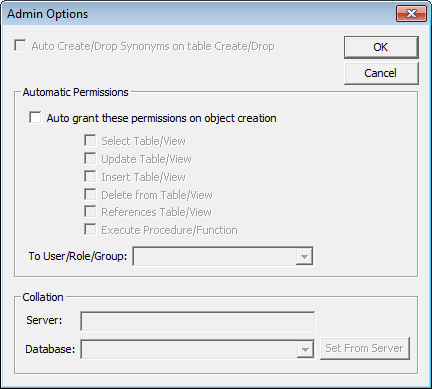
When the Auto Create/Drop Synonyms check box and the fields in the Collation frame are not activated, it indicates that the database in use is SQL-based. These options only apply to Oracle databases. - Optional: Define applicable settings.
- Click OK.