
Viewing Messages from Specific Vehicles
Use filters when you need to view all messages from one or multiple vehicles.
About this task
Procedure
-
Click the
MDT
ID Filter button:

The Select MdtId dialog box opens.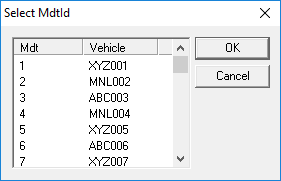
-
Click the MDT ID/vehicle to view.
To select more than one, press CTRL and click each vehicle.
- Click OK.
Results
If you chose more than one vehicle to view, the information is sorted by MDT ID.