
Reviewing Possible Schedule Solutions for Trips
To help you understand why a trip was scheduled on a particular run, you can review the schedule solutions that were offered for the trip in the Schedule Booking Wizard.
About this task
Procedure
-
In Trip Administration (click ) or Schedule Editor (click ), do one of the following:
- Right-click the scheduled trip for which you want to review offered schedule solutions, and then click Reschedule.
- Click the scheduled trip for which you want to review offered schedule solutions, and then click .
- Click the Schedule or Reschedule
button:

The trip appears in the Schedule Booking Wizard. -
Click the Flashback button:

Results
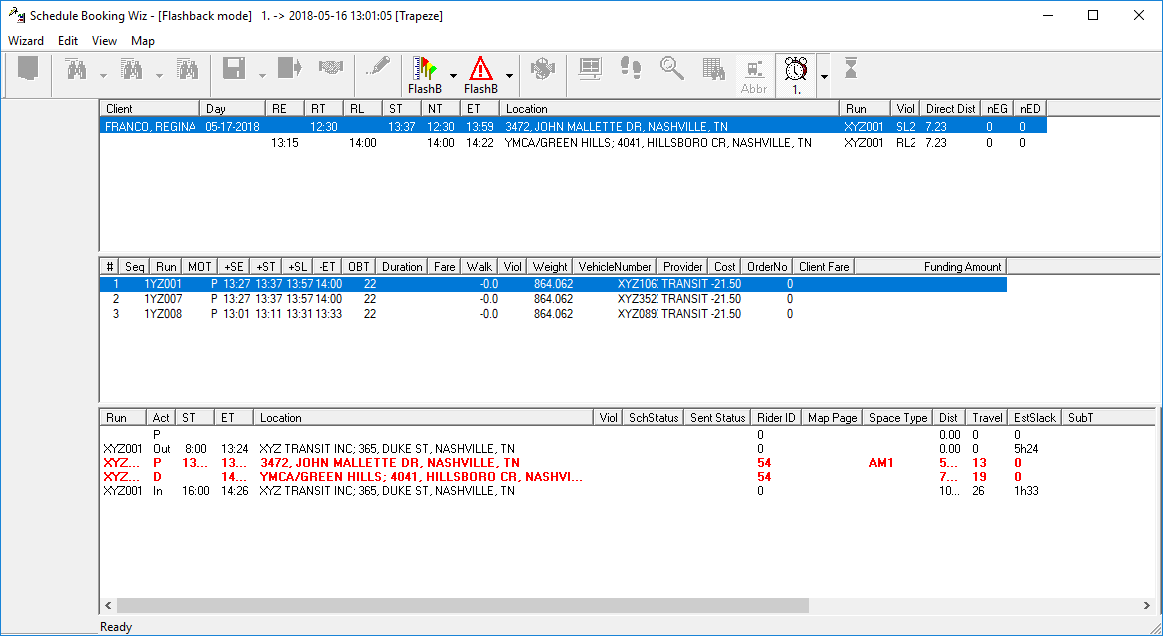
The user who selected the solution, and the time stamp for the selection, appear in the title bar beside the [Flashback mode] text. In the example, the user name is Trapeze.