
Viewing Run Itineraries in Zebra Mode

For increased readability in Schedule Editor, use zebra mode.

Before you begin

Schedule Editor must be open to Run Itinerary view. The Zebra Color property must be defined in File > Properties, on the Tools tab, under Schedule Editor > Color Settings > Zebra Color.

About this task

Zebra mode shows the rows of information in Schedule Editor in alternating colors.

Procedure

Click the Switch On/Off Zebra Mode button:
Three crayons: one red, one green, and one blue.
Click the button a second time to return to the original setting.
The rows of trip records appear in alternating colors.
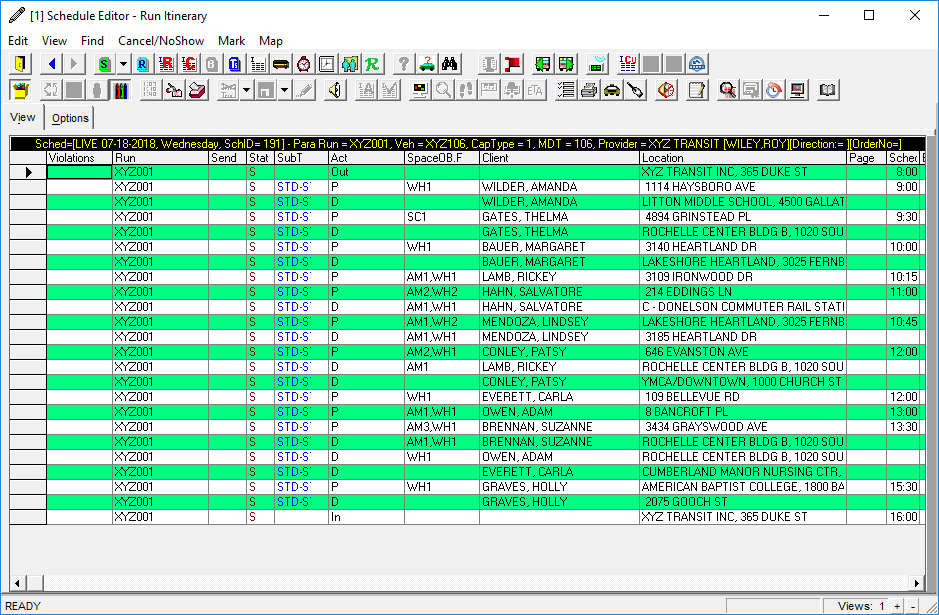
Schedule Editor's Run Itinerary view after Zebra mode was applied.