
Specifying Columns and Column Order
For some grids, you can specify the order for data rows by column.
About this task
Procedure
-
In the grid, right-click and click Edit Layout.
A dialog box appears.
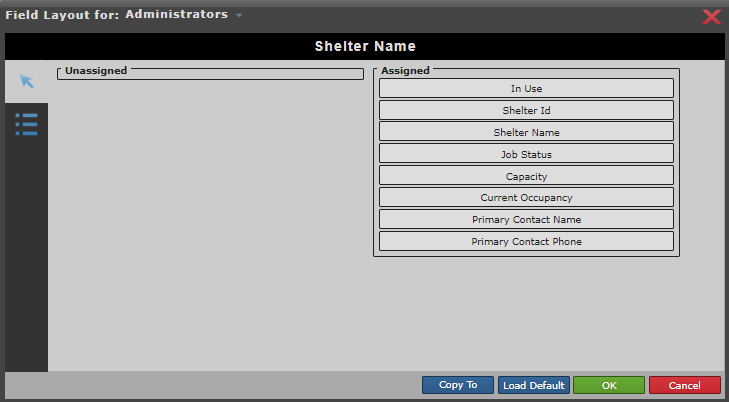
- Select a user group from the Field Layout for drop-down list.
-
Drag and drop the desired column headings from the Unassigned
list to the Assigned list.
Columns that appear under Assigned will be visible in the grid.
-
Drag and drop the Assigned list items to order the column
headings as desired.
The top-to-bottom order of the Assigned list will be visible in left-to-right order in the grid.
- Optional: Click Load Default to return the columns to the default order.
- Optional: Click Copy To to select user groups to which to apply the new column order.
- Click OK.