
Viewing Scenario Details
The Scenario Details dialog allows you to view scenarios by run type or run type category.
-
Click or click the Scenario Detailsbutton:
 The Scenario Details dialog appears.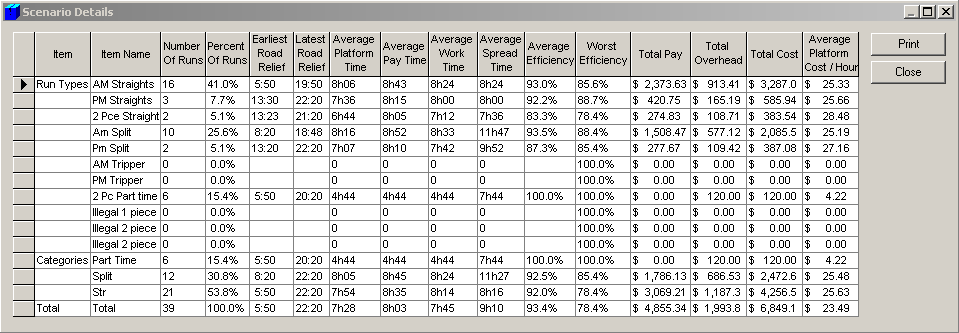
- When you click Print, a report in a text editor appears. Click File to print the report. If necessary, change the file name, ScenarioDetails.txt that appears by default and save the file.