
Loading Block Scenarios
Load block scenarios that you want to reuse or modify.
-
On the main menu, click . Alternatively, on the screen toolbar, click the Block Scenarios
button:
 The Block Scenarios dialog appears.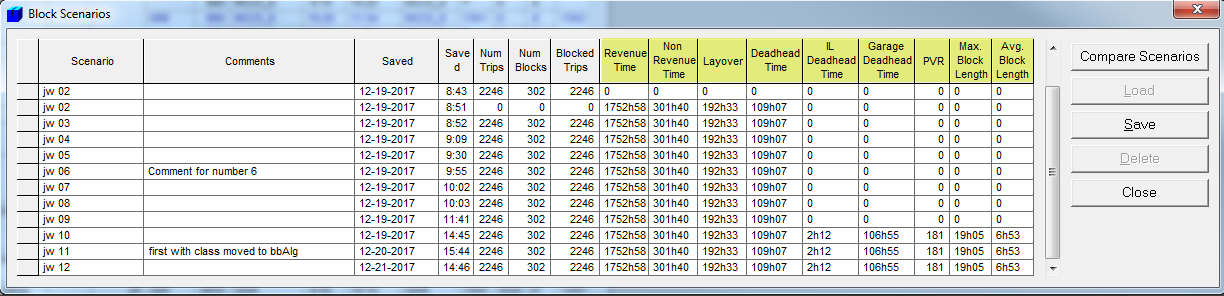
- Click the scenario that you want to load.
-
Click Load.
A message appears warning you that loading a new block scenario will replace the blocks in the current scenario and uncut all runs because the current runcut may not match the blocks being loaded. You are asked if you want to save the current blocks and runs. If you click Yes, a message shows the number of blocks that have been saved.
- Click OK.
- In the Block Scenarios dialog, click Close.