Place text in quotation marks for exact match search results.
Selecting One Line
Choosing only one line is handy if you want to copy an existing line to a new line, thereby creating a new route.
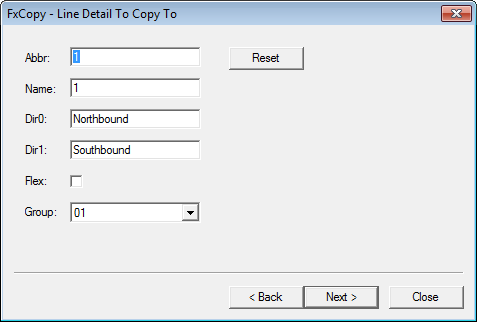
The procedure for copying only one line includes an extra view of the FX Copy view:
Line Detail To Copy To.
In the Abbr field, change the name of the line
abbreviation.
In the Name field, type the long name of the line.
In the Dir0 and Dir1 fields, change the
direction information.
Note: The Flex check box is automatically selected if your site
has FLEX.
From the Group list, select the line group abbreviation
associated with the new line. Alternatively, the system creates a new group based on the
line abbreviation you entered in the Abbr field.
Optional: To change the data back to its original information, click
Reset and click Next.
In the Select items to be copied view, continue the procedure
starting with step 4 of Selecting Lines to Copy .