
Selecting Rosters to Copy
The procedure for selecting Rosters to copy is similar to that of selecting runs.
- In the Select Sign-ups view, select the source and
destination sign-up periods and click Next.
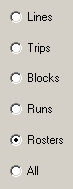
- Click Rosters and click Next. The Select Divisions To Copy From view appears.
- Click the divisions you want to copy.
With Rosters, you only need to select the divisions. Rostering relies on divisions for its data relationships. All line groups and service groups that are associated with a certain division are copied.
- Click Next. The Select items to be copied view appears.
- Select any of the following data items:
- Rosters
- Union Contract (Roster Types)
- Costing Info (constants)Note: If you plan to copy Rosters, it is important to copy all the other information as well to ensure that the rostering process works appropriately in the new sign-up period. If you do not want to copy Rosters, it is recommended that you copy the rest of the information for future use in the rostering process.
- Continue the procedure starting with step 4 of Selecting Lines to Copy .