
Viewing the Roster Costing Summary
You can view the summary of roster costing using the Costing Summary dialog box.
-
Do one of the following:
- Click .
- Click the Costing Summary button:

The Costing Summary dialog box appears.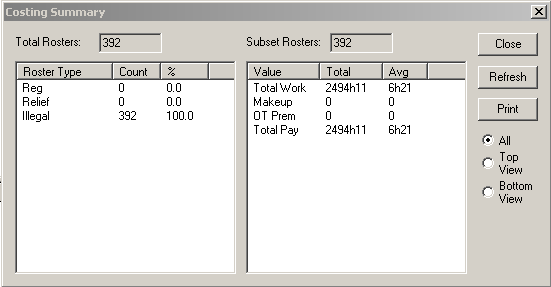
The left frame shows the roster types by actual numbers and percentage distribution. The right frame shows the total and average values of the rosters.