
Copying Waits and Travels
The Copy Waits and Travels tool allows you to copy waits and travels information from one sign-up period and one service group to another sign-up period and service group.
-
Click.
The Copy Waits and Travels dialog box appears.
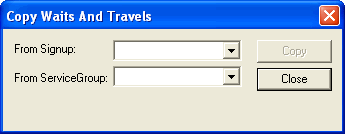
- In the Signup list, select the sign-up period from which you want to copy the waits and travels.
- In the ServiceGroup list, select the service group associated with the waits and travels you want to copy.
- Click Copy.
- Click Close.