
About Parking Grid Definitions
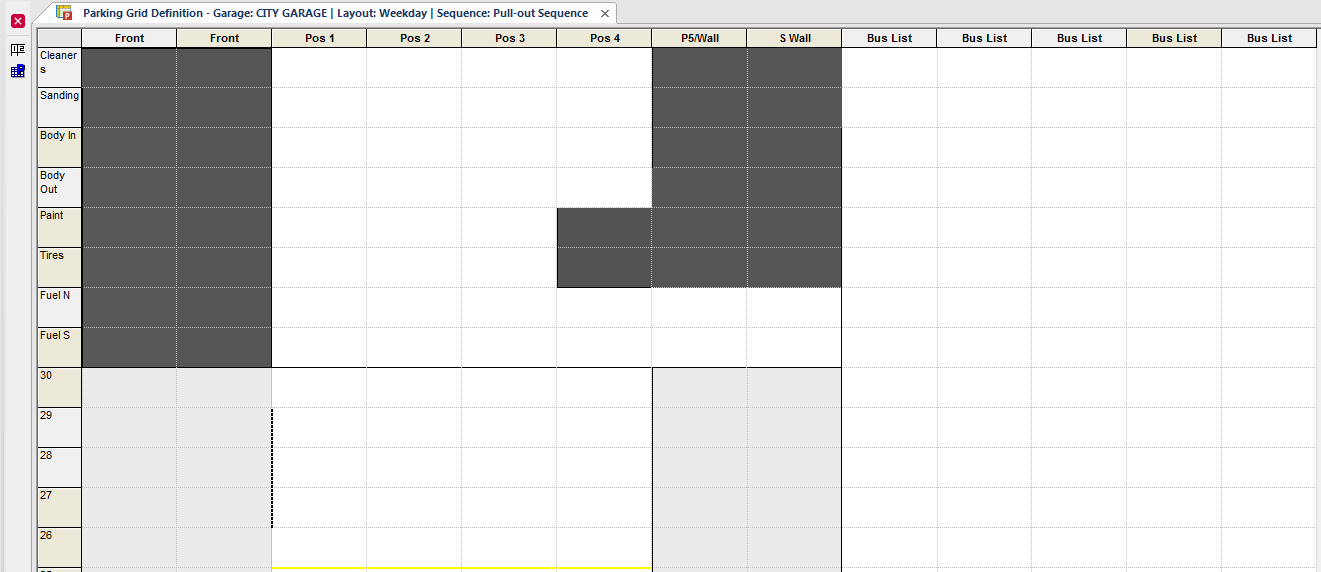
Parking grid definitions are templates that show available parking spaces at garages during specific time periods.
| Button | Label | Description |
|---|---|---|
 |
Set Sequence Mode | Applies the sequence mode selected in the sequence field of the screen Context. Only Pull-out Sequence is supported. |
 |
Set Parking Grid Attributes | Set or update the appearance of the parking grid. |
After a parking layout is created in ancillary data, you can define parking grids, which are like maps that show available parking spaces in garages during specific time periods.
Parking grids can be used in several ways:
- To show yards, where vehicles have assigned parking locations. For example, outdoor parking lots.
- To manage pull-outs from yards. For example, showing garages with pull-out lanes, where vehicle locations change based on demand (for example, buses needed first are at the front of the pull-out lanes).
- As vehicle lists that don't represent vehicle locations.
When parking grids represent actual yard locations, employees read yards periodically to determine where vehicles are located. Typically, maintenance department employees are responsible for reading yards, locating vehicles, and recording vehicle locations in the parking grid. Operators can record vehicle locations on paper, or use integration with Yard Manager for real-time vehicle location data.
You can add and delete rows and columns in parking grids, and enter information for specific cells.
After you create parking grids, you can enter vehicle parking locations in the grid using the Vehicle Assignment screen.
| Symbol | Description |
|---|---|
 |
The parking spot is currently in use for maintenance. |
 |
The parking spot is currently inactive. |
 |
A maintenance record was created for this vehicle in Trapeze EAM. |