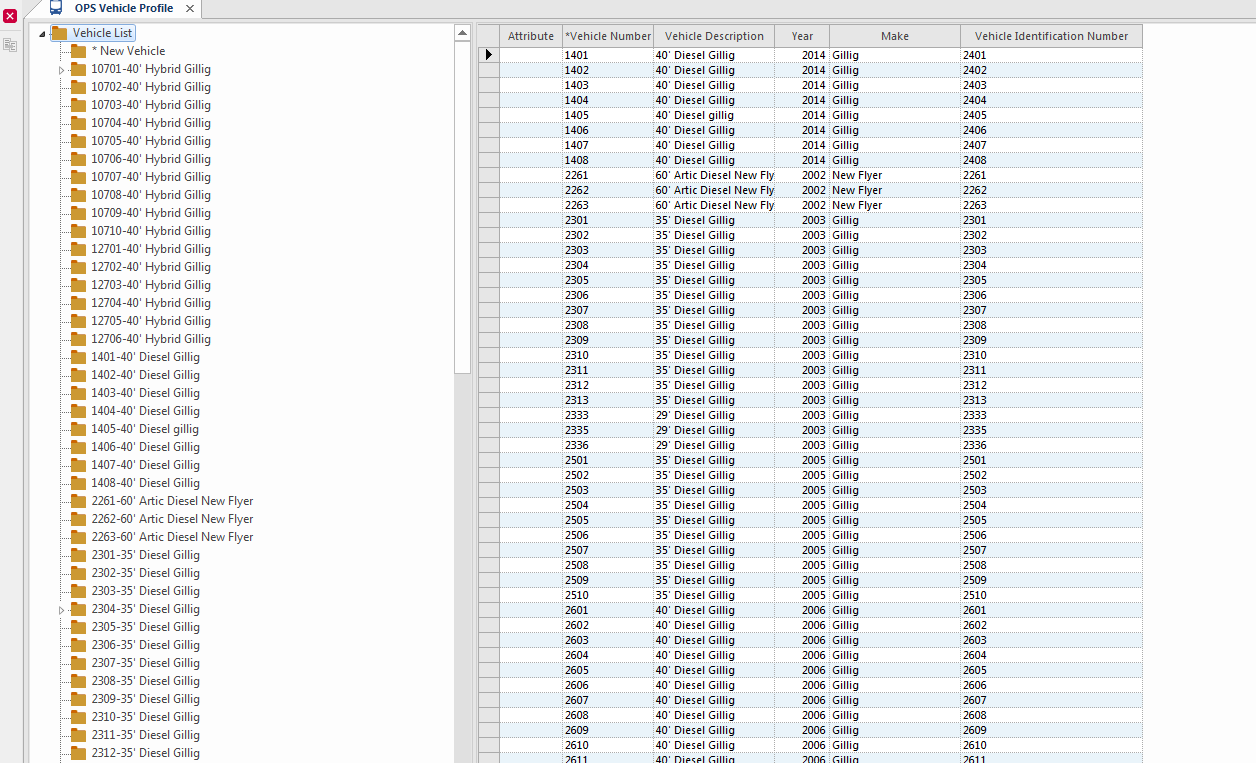
About Vehicle Profiles

Using the OPS Vehicle Profile screen, you can view or update vehicle information.

The OPS Vehicle Profile screen shows the following information:
  • Vehicle identification
  • Make
  • Model
  • Mileage
  • License
  • Work type information
  • Vehicle employee history
  • Inspection
  • Status
  • Maintenance
  • Qualification information

If Trapeze OPS is integrated with Trapeze EAM, you can also see fuel efficiency rating and total odometer reading for each vehicle.

You can add or change vehicle status and qualification information, but you can't add or change maintenance or inspection information.
OPS Vehicle Profile
Table 1. OPS Vehicle Profile Toolbar Button Descriptions
Button Label Description
Clone Record Clone Record Creates a copy of the selected record.

When you print information from an OPS Vehicle Profile screen list view, the resulting report includes a title with the information type, vehicle number, and date range.

You can view and print list view reports from these panes:
  • Employee History
  • Incidents
  • Maintenance History
  • Skills
  • Status
Note: When printing information from detail view, the system doesn't include a title on the page.