
Viewing and Updating Vehicle Information
The OPS Vehicle Profile screen shows a summary of vehicles and lets you update information for individual vehicles.
- Open the OPS Vehicle Profile screen and set the Context (F3).
-
Select the Vehicle List folder.
A list of all vehicles for the day selected in the Context appears.
-
Select the folder of the vehicle to view or update.
The detail view shows the vehicle record. Additional options are shown in the list.
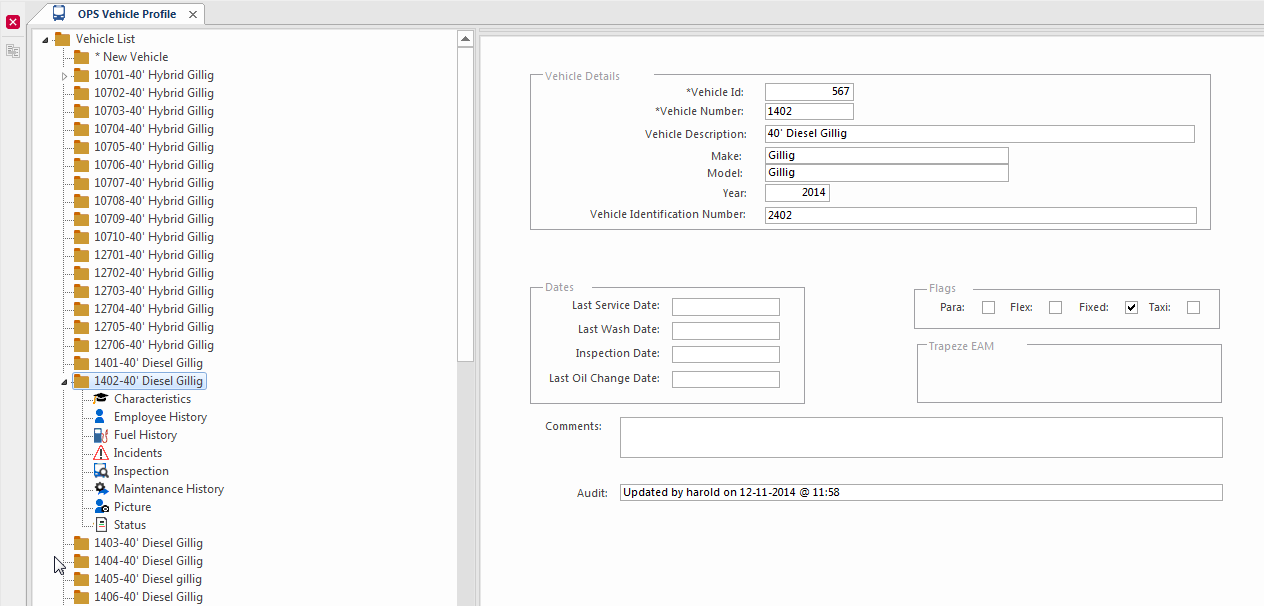
- Update the information in the detail view as required.
- Select Save.