
Creating Vehicles
Vehicle information can be created manually in Trapeze OPS.
- Open the OPS Vehicle Profile screen and set the Context (F3).
-
Select *New Vehicle.
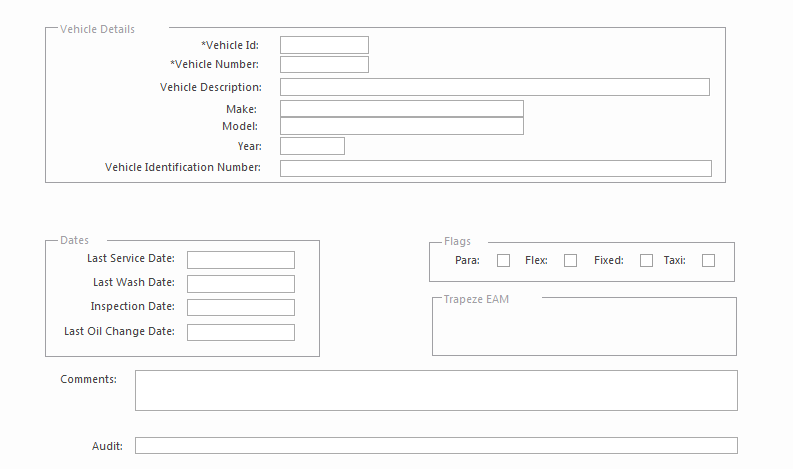
An empty vehicle record appears in the detail view. Fields may vary depending on your system configuration.
-
The Vehicle Id is automatically generated by the
system.
If the property is selected, the Vehicle Id value is set to the Vehicle Number when you save the record. Otherwise, a system-generated number is used.
- Enter the Vehicle Number.
- Enter the Vehicle Identification Number.
-
Complete the other fields as required.
If MDTs are used at your agency, MdtIds must be unique.
-
Select Save.
The vehicle record is created. A message appears advising you that to view and update the new vehicle record, you must set the Agency, fields to Not Specified in the Context dialog and select the Not Specified checkbox in the Garage, Vehicle Type, and Status Type fields.