
Adding Parking Grid Rows and Columns
Add rows or columns to the parking grid in the Parking Grid Definition screen.
- Open the Parking Grid Definition screen and set the Context (F3).
- Click in a cell next to where to add a row or column.
-
Right-click and select Add Rows/Columns.
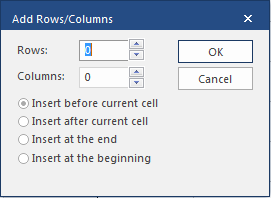
- Select the number of rows or columns to add.
- Select the correct insertion option.
- Select OK.