
Configuring Supplementary Data Fields
Configure supplementary data fields to define how they appear in screens and reports.
- Select .
-
In the left pane, double-click a table and select the supplementary data field
to configure.
The selected field and details are shown in the right pane.
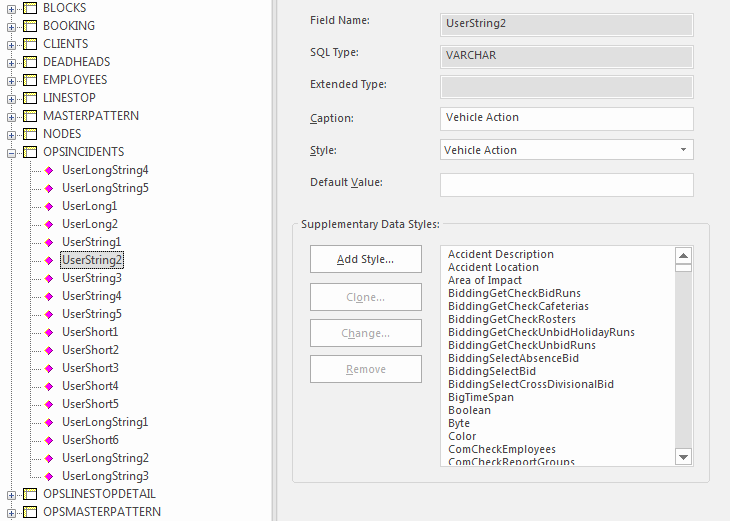
-
Enter a name in the Caption field.
Captions appear as field names or column headers in screens and reports.
-
Select a Style to specify how to show the data.
For example, if you select Boolean, a checkbox appears for the field.
-
Enter a Default Value.
This value is automatically entered in the field for records without a defined value.
- Select Save.