
Customizing the List View
Customizing the grid refers to managing the way information appears within specific screens. Some screens are referred to as grids because their layout is similar to that of a spreadsheet.
- Open the screen you want to customize. In the case of a split screen, make sure that the pointer is in the pane you want to work with.
-
Do one of the following steps:
- Click the Customize Grid button:
 .
. - Right-click on the header and select Customize from the shortcut menu.
The Customize dialog appears with the Grid tab.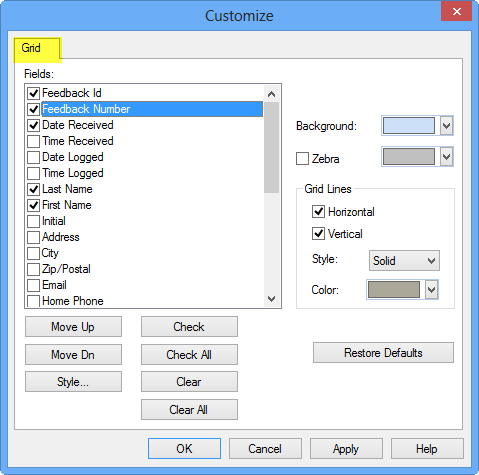
- Click the Customize Grid button:
- In the Fields list, select the check boxes of the fields you want to appear in the grid.
-
Click Apply.
The changes are applied on the screen so you can make other changes before confirming them.
- Click OK.