Defining Featured Content

After creating reports and dashboards, you can define whether they should appear as featured content in the Home canvas.

Power users with Member- or Admin-level access can define featured content.
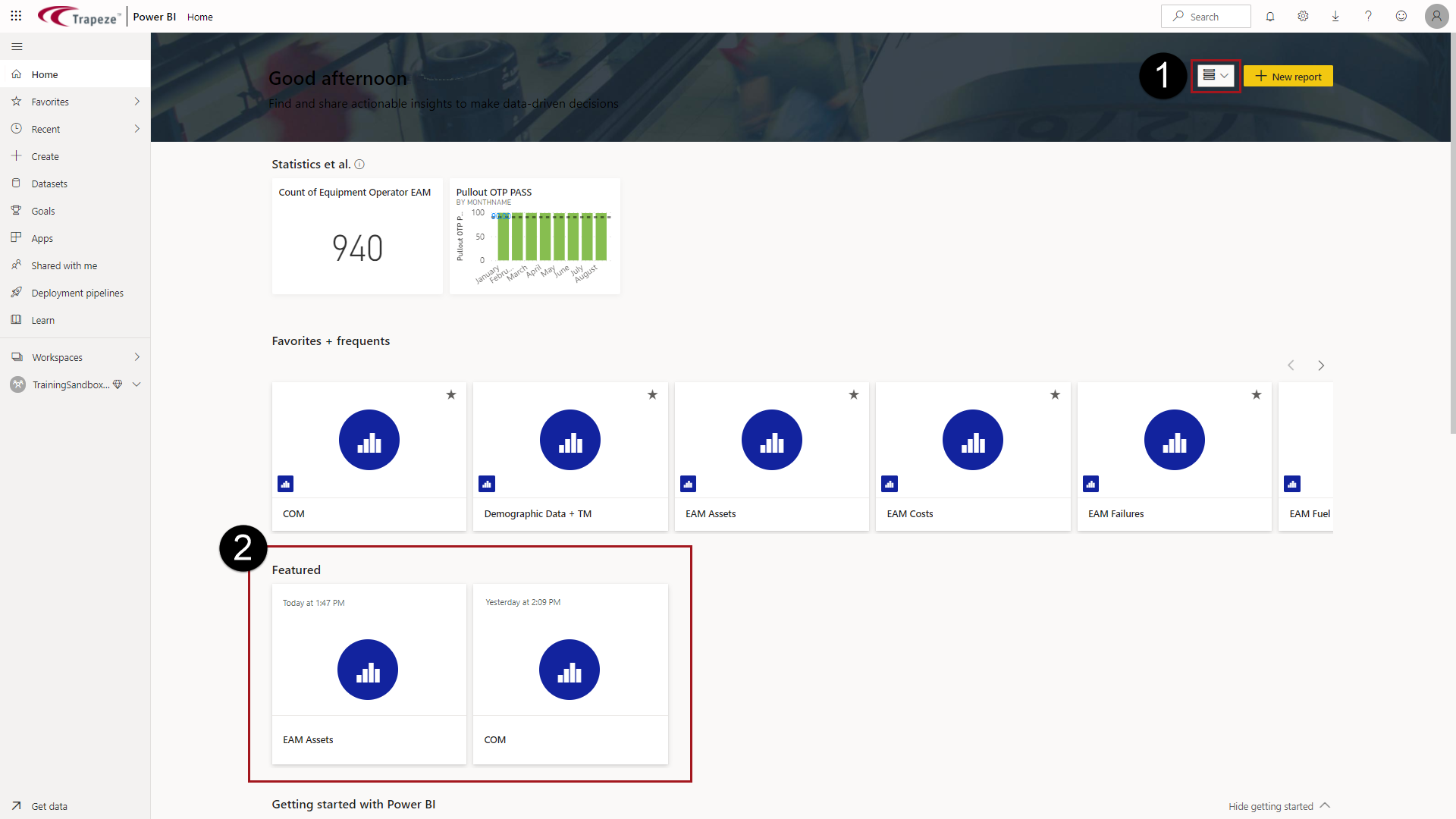
Featured content appears in the expanded Home canvas.
  1. Do one of the following:
    • In the navigation pane, select Workspaces, then the workspace name. For the report to be updated, hover on the report name and select More Options (…) > Settings.
    • In the report, select File > Settings.
  2. In the Endorsement area, select Feature on Home.
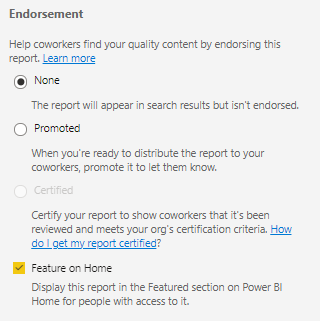
    The Feature on Home option selected in the Endorsement area.
  3. Select Save.
The report is now visible in the Expanded version of the Home canvas under Featured.
Home canvas with the Expanded option marked with a 1 and circled in red and the Featured area of the Home canvas marked with 2 and circled in red.