
Home Canvas
How you use your accessible content influences the appearance of the Home canvas.
The Home canvas organizes your content in different ways.
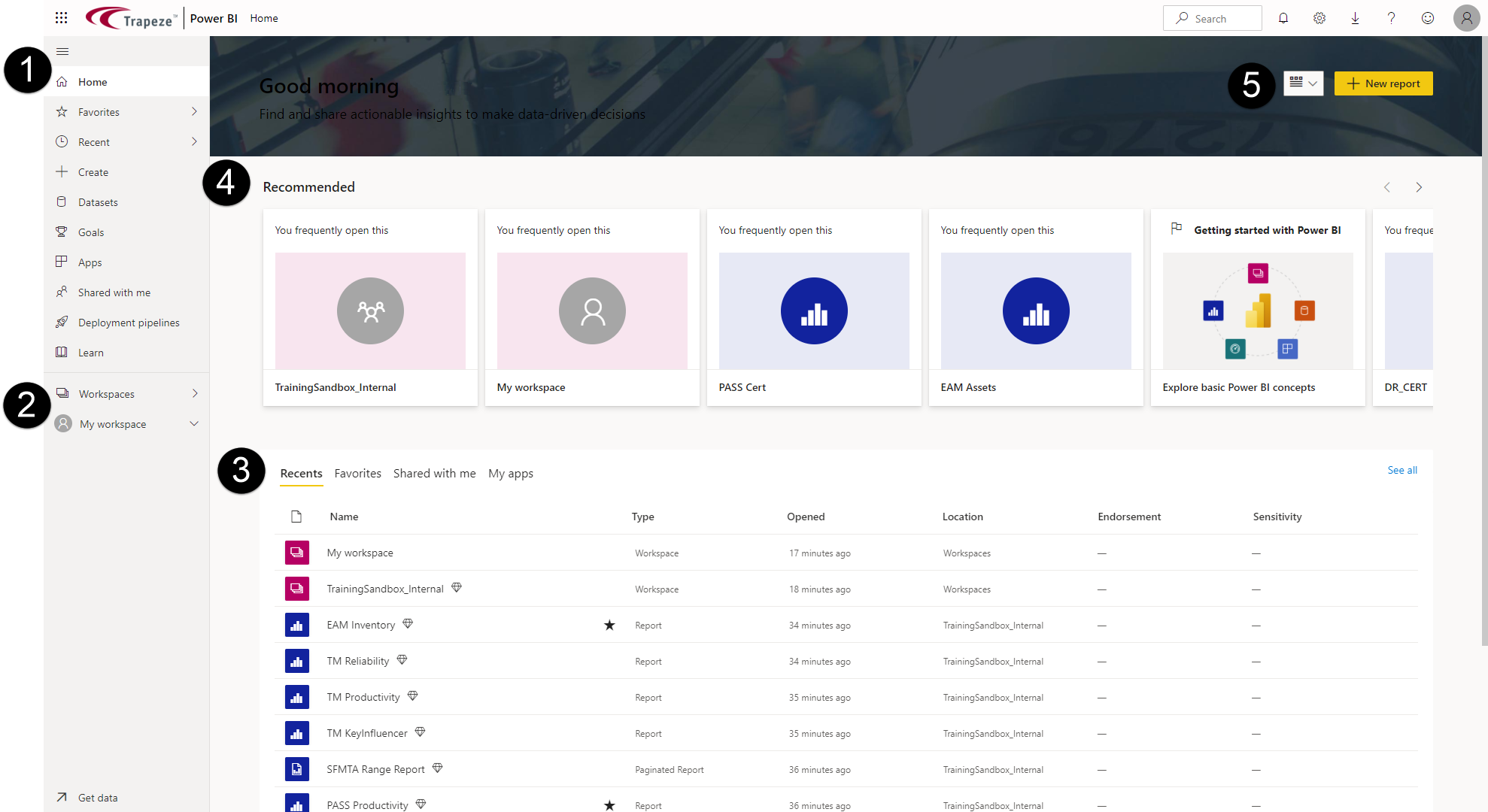
- Navigation pane. Lists options for locating ViewPoint content.
- Recommended. Typically, this is content you have marked as Favorite or have visited often.
- Home canvas tabs.
- Recents. Lists recently viewed reports and dashboards.
- Favorites. Your favorite reports and dashboards.
- Shared with me. Lists content shared with you.
- My apps. Lists apps accessible to you.
- Workspaces. Workspaces you have access to or your personal sandbox (My workspace) with content created by you.
- Page layout. For additional options, including Featured content, select .