
Collecting Fares With EZ-Wallet with No Fare Slip
You can use EZ-Wallet with No Fare Slip (NFS) as a payment option when you are unable to collect some or all of the fare for a client.
-
Perform the pick-up.
The Perform screen is displayed.
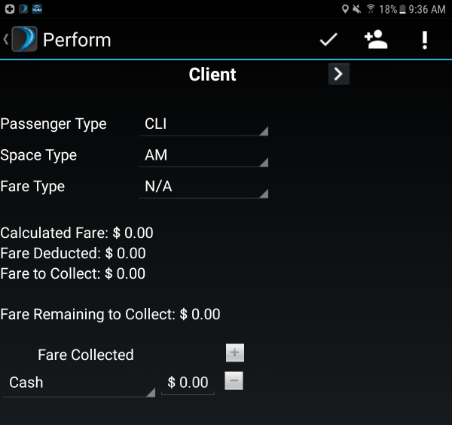
-
Tap
 to expand the Fare Collected area.
- Under the Fare Collected area, tap the Cash option. A drop-down menu appears.
- Tap No Fare Slip.
-
If you are able to collect part of the client's fare at pick-up, enter the
amount in the money collected field.

-
Tap
 .
The Fare Collection Summary screen appears.
.
The Fare Collection Summary screen appears. - If there are any additional passengers, you will need to collect their fare or submit a second No Fare Slip.
-
Tap to complete the payment.