
Defining Time Periods
When creating a provider contract, time periods can be defined for each validity to specify when there is high demand for services.
Before you begin
About this task
Time periods are also used for defining rate profiles, trip costs, and activity costs. If pricing is different on weekends, create a new validity and then define its time periods accordingly.
Procedure
- In the Contract frame, click the contract for which to define time periods.
- In the Validity pane, select a validity in the grid.
-
Click Edit.
The buttons in the Validity frame become available.
-
Click the Period definitions button.
The Contract period definition dialog box appears.
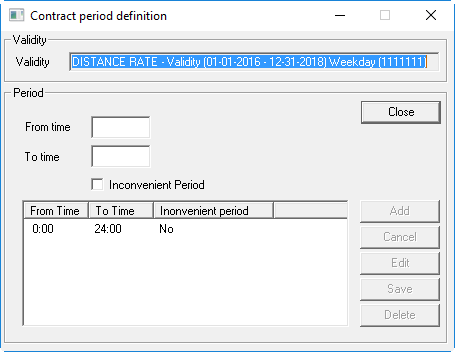
- In the From Time and To Time fields, specify the time period during the day when you want the validity to apply.
- Optional: If service demand is high during the time period, select the Inconvenient check box.
-
Click Add.
The time period rule is added to the grid.
- Add any additional time period definitions.
- Click Close.