
Creating Canned Messages
Canned messages can be created in the Send Messages to MDTs dialog box.
Before you begin
Procedure
-
Click the Send Message button:

The Send Messages to MDTs dialog box opens.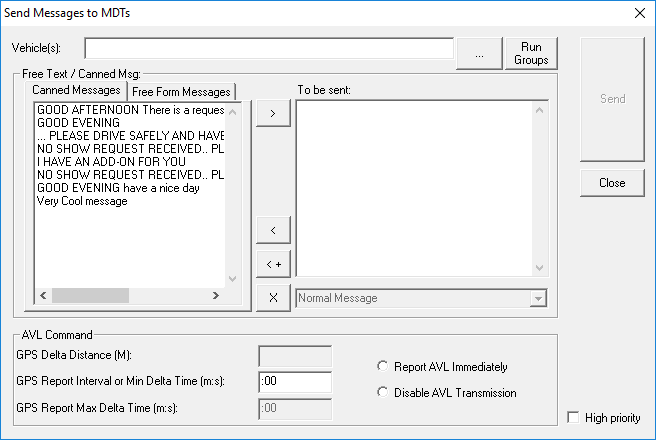
- Select the Canned Messages tab.
- In the To be sent field, type the new message.
-
Click the left arrow button with the plus sign.

- Optional:
To delete a message from the Canned Message click the X button:
