
Creating Shelter Records
Shelter records can be created as needed.
Before you begin
Procedure
-
Click the Main Menu button:

- Click Manage Shelters.
-
On the right side of the screen, click New.
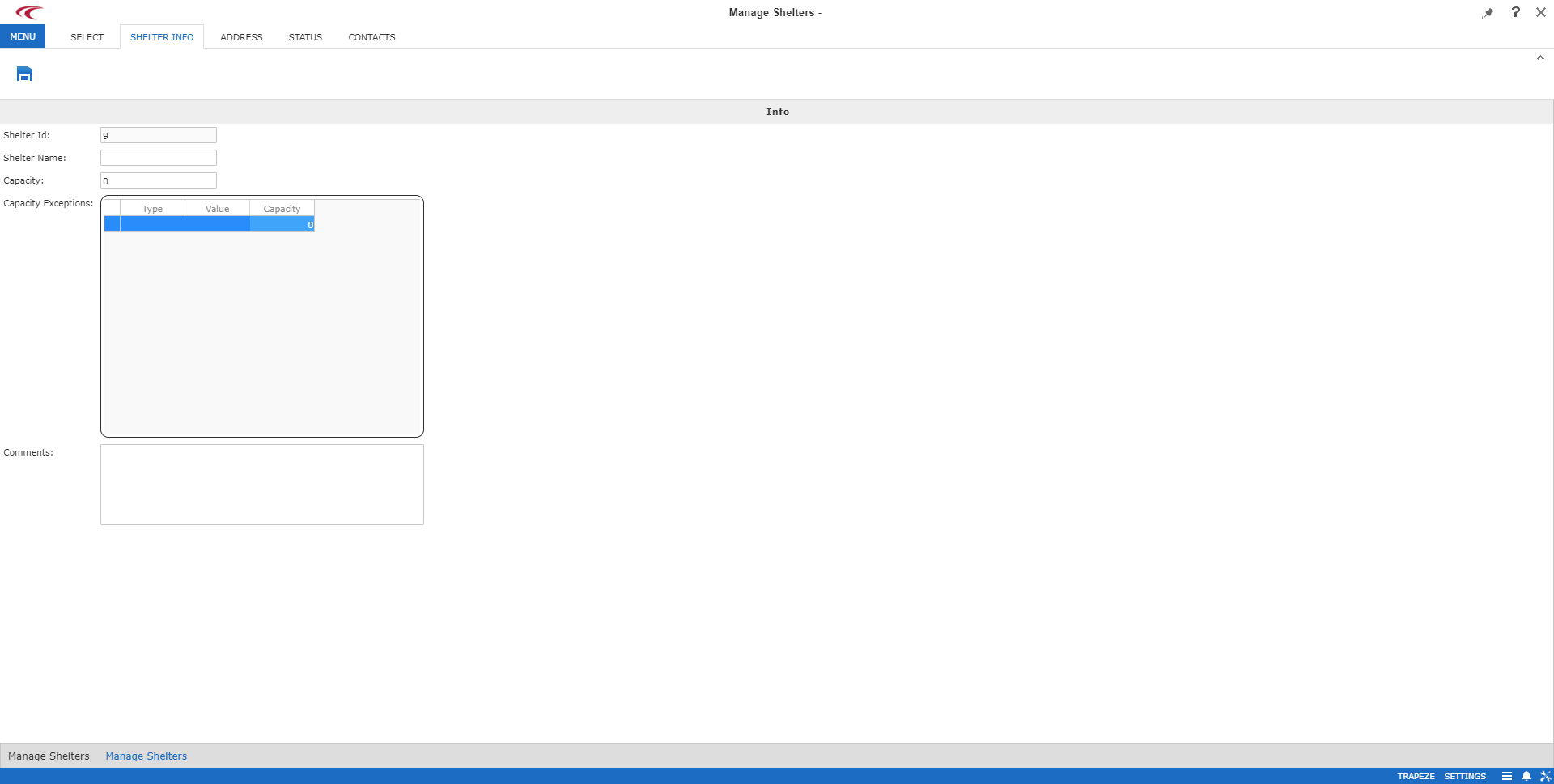
The Shelter Info step appears.
-
Provide the following information:
- Shelter Id
- Automatically populated by the system.
- Shelter Name
- Name of the shelter.
- Capacity
- Number of occupants that can be accommodated at the shelter.
- Capacity Exceptions
- Any client exceptions who cannot be accommodated at the shelter, or the maximum
number of such clients with specific mobility aids, disabilities, or space types:
- Type
-
Capacity exception type:
- Mobility Aids
- Disability
- Space Type
- Value
-
Values are associated with the selected capacity exception Type.
These values are defined in PASS ancillary data.
- Capacity
- Maximum number of clients with the defined capacity exception who can be
accommodated at the shelter.
Type 0 to indicate that no such clients can be accommodated.
- Comments
- Any comments about the shelter.
- Click Save.
- Click the Address, Status or Contacts tab to continue defining the shelter's information.