
Adding Basic Information
You can add the basic information of the user using the User Info pane of the Manage Users screen.
-
Click Users in the Admin list.
The Manage Users screen appears.
-
Click New.
The User Info pane opens.
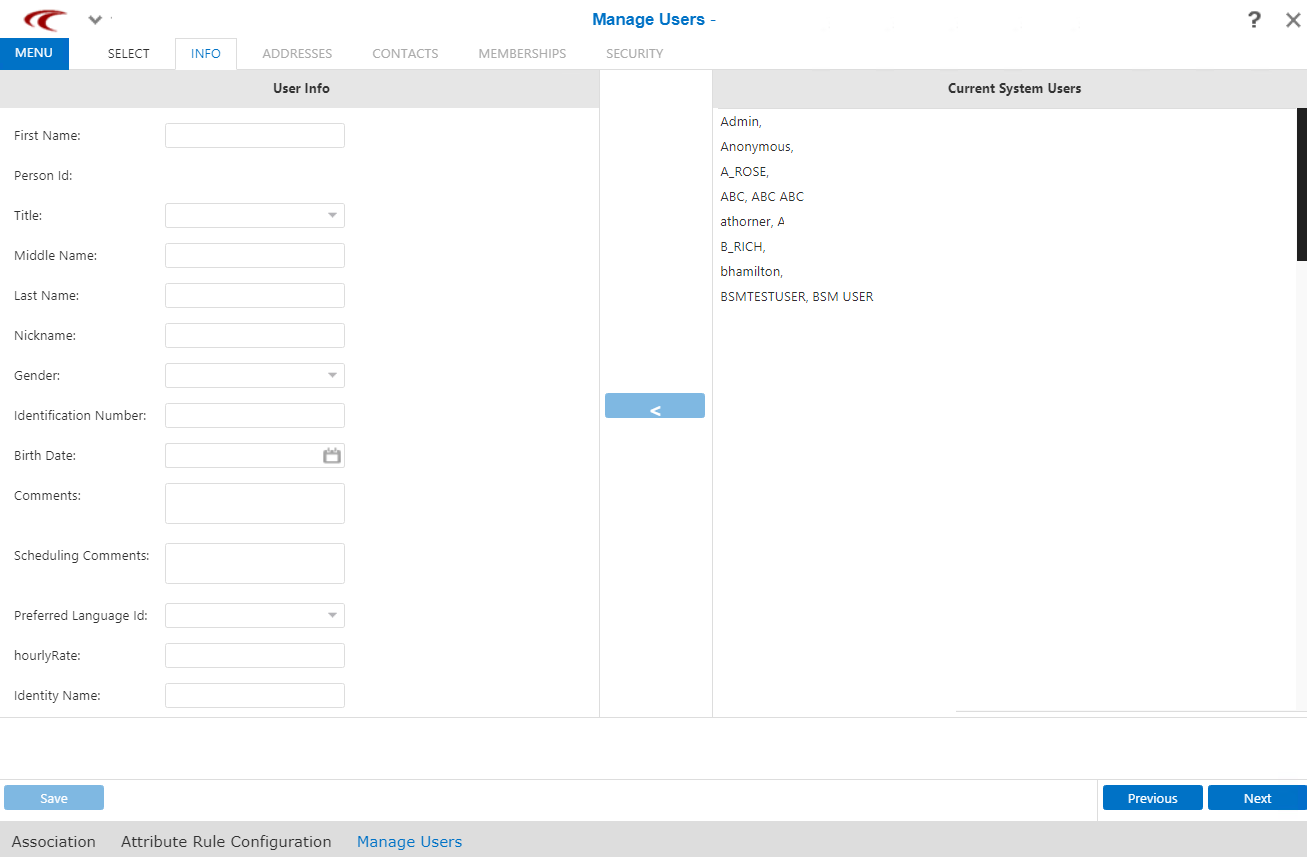
-
In the User Info pane, fill in the following fields (and any other
fields shown on your screen as required):
-
First Name - First name of the user
-
Person Id - Personal identification number
-
Title - Appellation indicating status of contact, for example, Mr.
-
Middle Name - Middle name of the user
-
Last Name - Last name of the user
-
Nickname - Familiar name of the user
-
Gender - Gender of user
-
Identification Number - Unique agency number, for example, badge or employee number
-
Birth Date - Select the date in the calendar.
-
Comments - Any additional information about the user
-
Scheduling Comments - Used with NOVUS-DR.
- Preferred Language Id -
- HourlyRate
- Identity Name
Note: The fields shown on the tab depend on the information that your site requires. You can choose which fields to add from the shortcut menu. -
- Click Save.
- Optional: Click Next to proceed with adding other information.