
Adding Basic Information
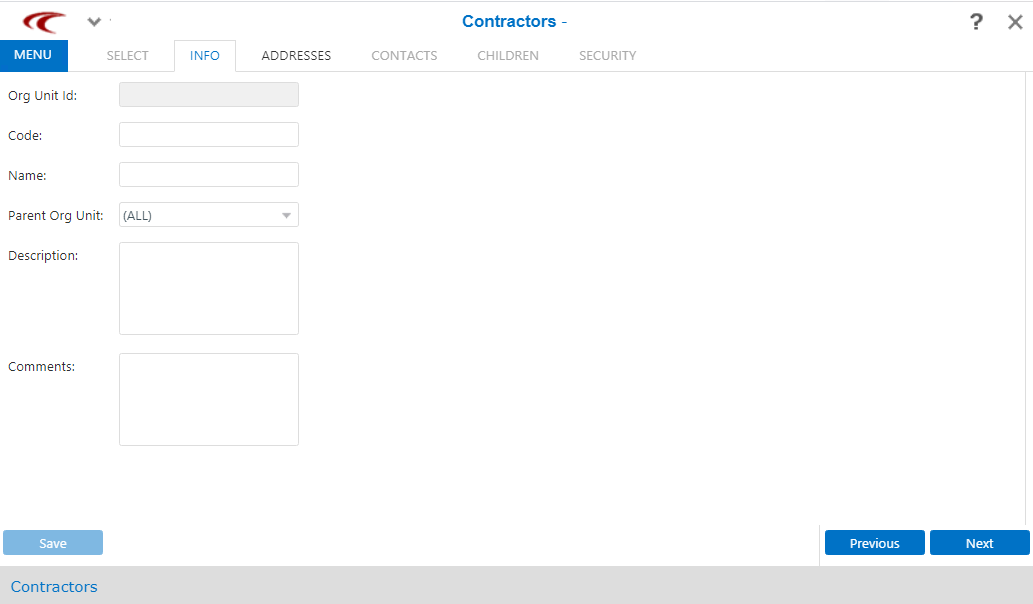
You can add the basic information of the contractor using the Info screen of the Manage Contractors screen.
- Click Settings, and then click Manage Contractors in the Admin list.
-
Click Manage Contractors in the Admin
menu.
The Manage Contractors screen appears.
-
In the right pane, click New.
The Info tab appears. The Info tab is highlighted.
-
Specify values in the following fields:
- Code - Short identifier for the organization or contractor.
- Name - Name of the contractor (for example, Speedy Cleaner).
- Parent Org Unit - Unique identifier for the organization for whom the contractor works.
- Description - Brief description of the work performed by contractor.
- Comments - Any additional information about the contractor.
-
Click Save.
The Org Unit Id field, which is a unique identifier for the contractor, is autogenerated.
- Optional: Click Next to proceed with adding other information.