
Assigning Contractors to User Security Groups
Contractors can be added to an existing or new security group, which is given specific permissions in order to be able to use BSM.
-
Open the Security tab.
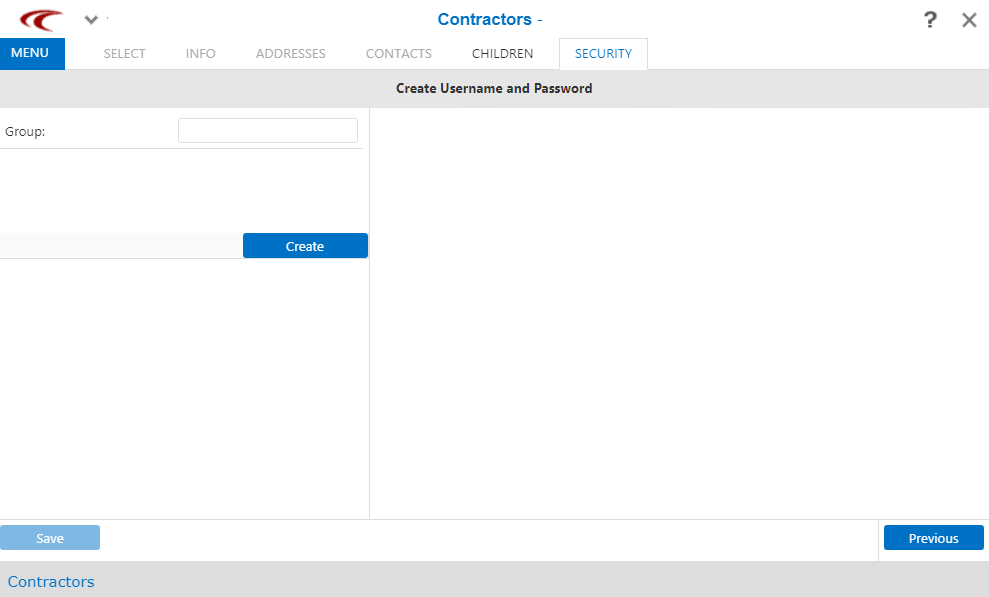
- In the Group field, either enter the name of an existing user security group or the name of a new user security group.
- Click Create.
-
Click Save.
If a contractor has already been assigned to a user security group, the Security screen shows a similar screen with the name of the user security group to which it has been assigned in the Group field. The Remove button is shown in place of the Create button. This allows you to remove a contractor from the selected user security group.
For more information on the setting of permissions for users and user security groups, contact your Trapeze Customer Care representative.
- Optional: Click Previous to review information on the other tabs.