
Assigning Children Information
In some cases, contractors have various departments or their own third-party agencies that provide some service or materials for different aspects of a work order acting as subordinate contractors. The Children information identifies who these departments or third parties are.
-
Open the Children tab.
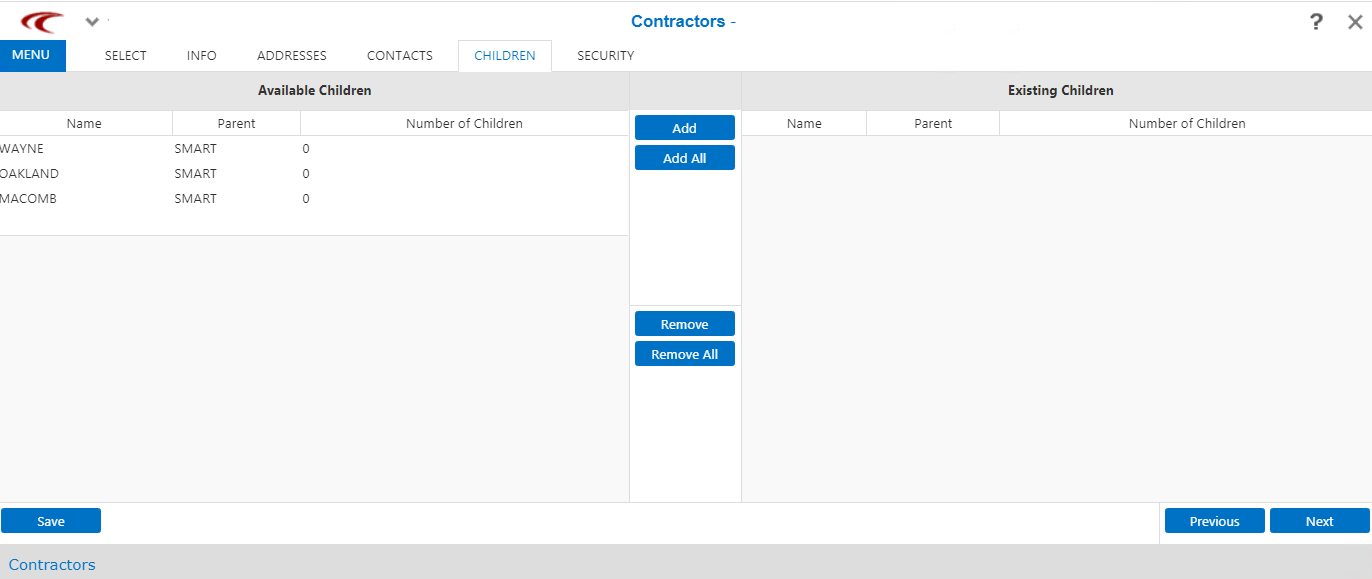
On the Available Children pane, a list of the departments or third-party agencies that can be assigned to the contractor are shown. On the Existing Children pane, the departments or third-party agencies already associated with the contractor are shown.
-
Do one of the following steps:
- Select an option on the Available Children pane and click Add on the middle pane.
- To add all options, click Add All.
The selected option is added to the Existing Children pane. - Optional:
Do one of the following steps to remove Existing Children:
- To remove an option from the Existing Children pane, select it and click Remove.
- To remove all options shown on the Existing Children pane, click Remove All.
- Click Save in the Available Children pane.
- Optional: Click Next to proceed with adding other information.