
Advanced Sorting
Advanced sorting refers to sorting by multiple fields and in ascending or descending order.
-
Click the Sort button:
 The Sort dialog appears.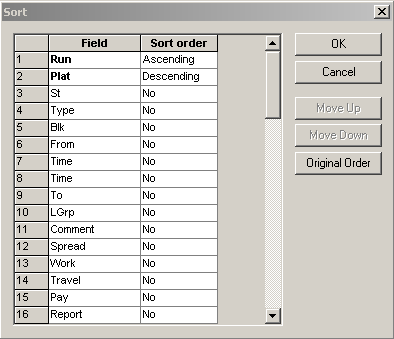
By default, the fields are set to No in the Sort order column. No means that the field is not included in the sorting order when the sort is performed.
-
Choose the field you want as the primary sort field and click Move Up to move it to the top of the list.
Choose another field if you want a secondary sort field and click Move Up to move it into the second position.
- In the Sort order field, click beside each sort field and from the drop-down list, choose a sort order.
- For other fields that you want to include in the sort, select the field and set the sort order.
- Click OK.
- To reset the sort order of the fields in the grid, click Original Order.