Driver Paddle
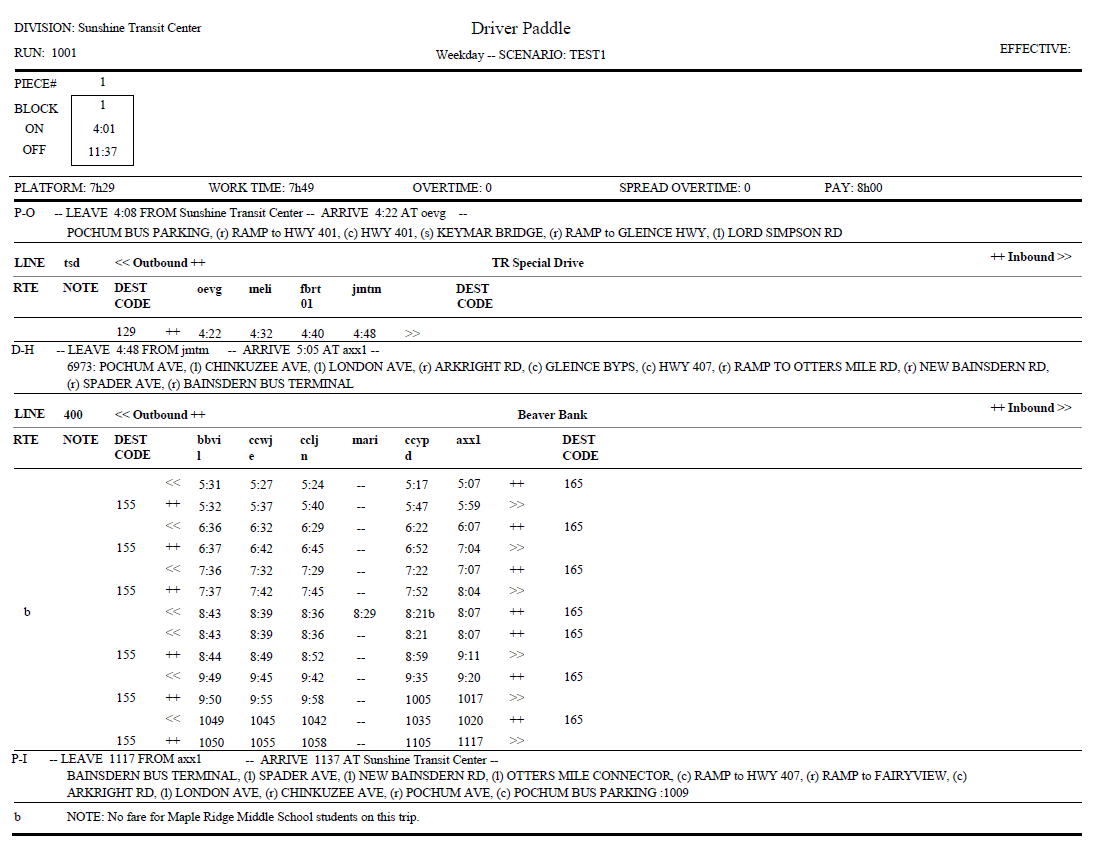
The Driver Paddle provides a list of all the trips for each selected driver run for the specified division, service, and sign-up period.
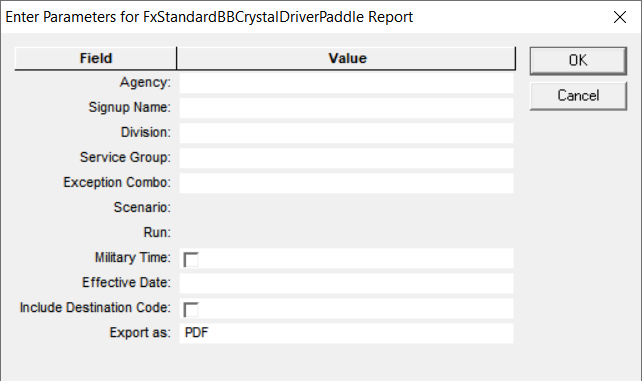
The following graphic shows the Driver Paddle report parameters:
| Parameter | Description |
|---|---|
| Agency | Agency code |
| Signup Name | Name of sign-up period |
| Division | Division code |
| Service Group | Service Group abbreviation. This is enabled after you select the Signup Name. |
| Exception Combo | Selected exception combination. This is set to <Off> by default. |
| Scenario | Runcut solution comprised of the selected parameter settings and the resulting runcut. This field is enabled after you select the Service Group. |
| Run | Number of the Run |
| Line Group Abbr | Selected line groups. This field is enabled after you select the Division. |
| Block | Selected blocks. This field is enabled after you select the Line Group Abbr. |
| Effective Date | Information related to the period when the report is in effect. Note: This is
a text field. You can enter any piece of data you want to include in the report,
for example, date or name of user. |
| Military Time | If selected, the 24-hour clock (midnight to midnight) time format is used,
for example, 13:00:00, which is 1:00 PM. in the 12-hour clock format. Note: If
selected, this format overrides the format selected in
Properties. |
|
Include Destination Code |
If selected, the pattern destination code is added to the report. The code is defined on the Edit tab in the Patterns Edit dialog. |
| Export As |
Allows you to select the format type of the report:
|
The following graphic shows an example of a Driver Paddle report: