
Selecting Grid Display Options
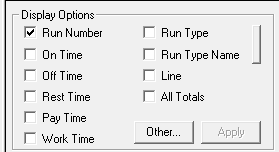
The check boxes you select in the Display Options frame determine the type of data that you see in the Roster grid. You can select the types of data you want to appear in the Roster grids.
-
In the Display Options frame, select the check boxes of the items
you want to include in the Values columns of the Roster
grids.
- Optional:
To include supplementary data, click Other....
The Supplementary Data dialog box appears.
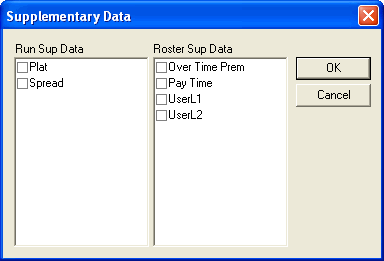
Run and Roster supplementary data appears. If you have rostering supplementary data, the Field and Value columns are added to the Rostering grid.
- Select the check boxes beside the supplementary data you want to view.
- Click OK.
-
In the Display Options frame, click
Apply.
The selected items appear in the Values columns in the Rostering grid.