
Configuring Grades for Scorecard Pages
You can specify a grade range, grade colors, and a grade description.
- Open the Score Card Templates screen.
- Select the statistic for which to specify a grade.
-
Select Config Grades.
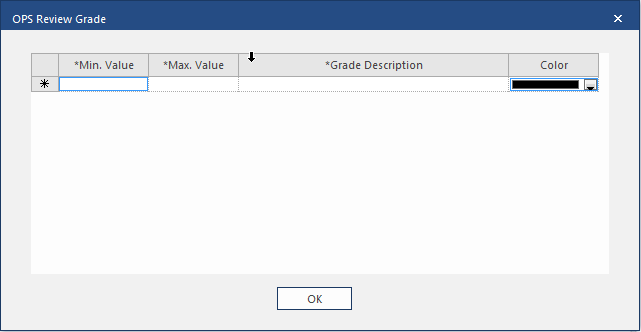
- In the Min. Value field, enter the lower range of the grade.
- In the Max. Value field, enter the upper range of the grade.
-
Enter a Grade Description.
The description appears in the scorecard records.
- Select a Color for the grade.
- Select OK.