
Booking Recurring Trips
Recurring or subscription trips are those that you make on a regular basis from the same origin and destination at specific intervals, for example, a medical appointment every Tuesday of the week at 10:00 a.m.
-
Click the Request a Ride button:
 The Request a Ride screen appears.
 - Fill in the pick-up and drop-off details and other information of the requested trip as required.
-
Select the Recurring booking check box.
A list of the days of the week and date range fields are shown.
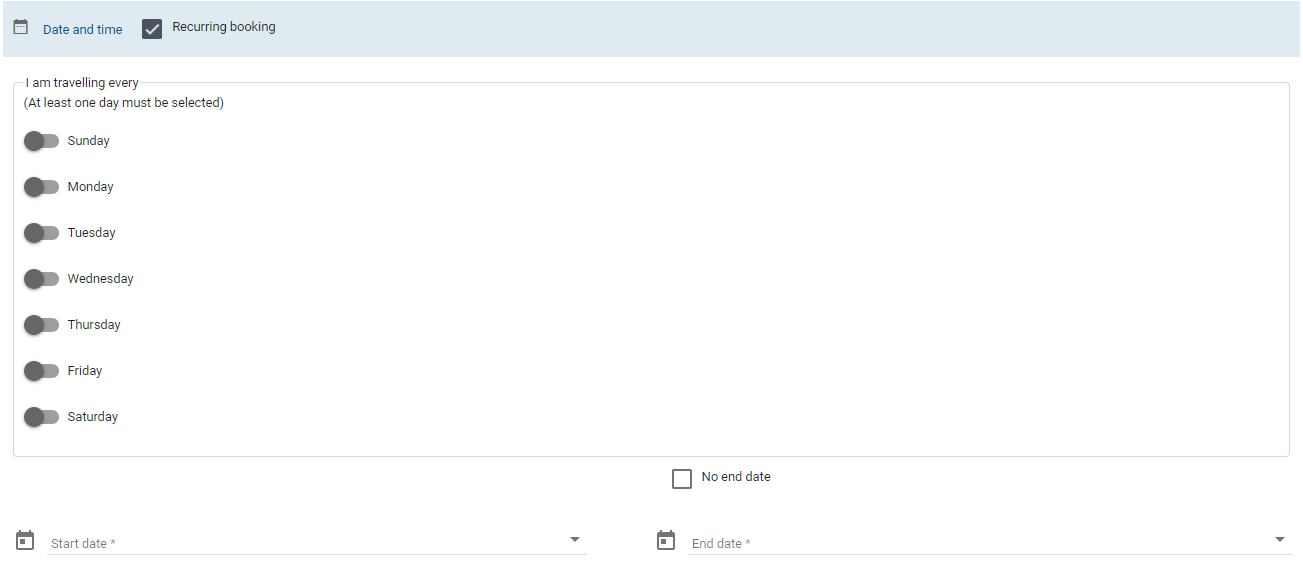
- Click the days of the week when you want the trip scheduled and set the date range when you want them to occur in the Start date and End date fields.
- Optional: Select the No end date option if you do not want to set an end date.
- Optional: To change the trip times, click Leave Earlier or Leave Later or to make other changes to the trip, click Modify Reservation.
-
Click Reserve Ride.
A summary of the trip details is shown in the confirmation screen.
When you do not fill in the mandatory fields, the trip is not saved. You are prompted to complete these fields before the trip is saved.