
Adding Other Content to Dashboards
After creating a dashboard, you can add tiles for web content, images, text, or video.
- Open the dashboard.
-
Select .
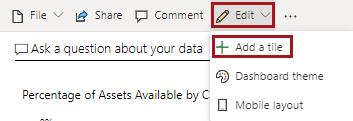
- Select a Media type and then Next.
- Select Next.
-
Enter the Details, Content, and
Functionality for the new tile.
- For web content, you can enter a Title and Subtitle, you must enter the Embed code for the content to be shown on the dashboard, and you can Set custom link to define what happens if you select the dashboard tile.
- For an image, you can enter a Title and Subtitle, you must enter the URL for the image to be shown on the dashboard, and you can Set custom link to define what happens if you select the dashboard tile.
- For a text box, you can enter a Title and Subtitle and you must enter the text to be shown on the dashboard. You can also format it, and include links if needed.
- For video, you can enter a Title and Subtitle, you must enter the URL for the video (either YouTube or Vimeo) to be shown on the dashboard, and you can Set custom link to define what happens if you select the dashboard tile.
-
Select Apply.
The new tile is added to the dashboard.