
Viewing Run Itineraries in Google Earth
Run itineraries can also be shown in Google Earth, which needs to be downloaded and installed on the same computer as the Workstation.
Before you begin
About this task
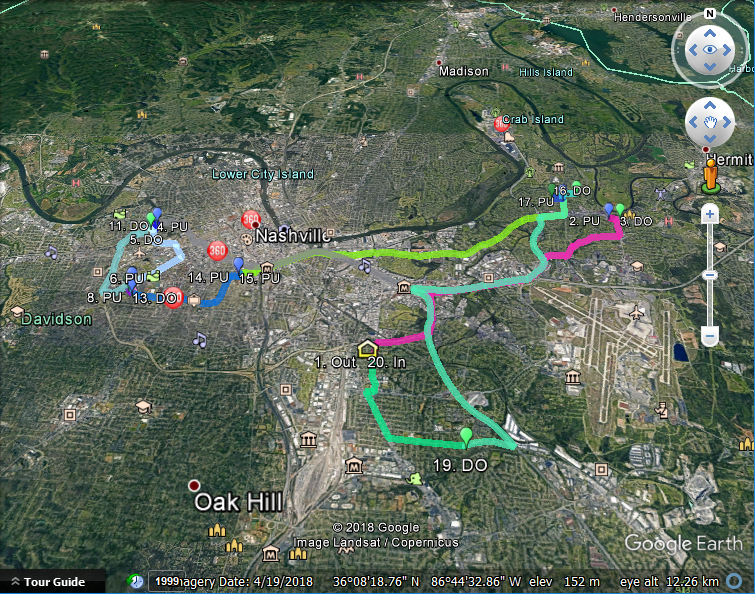
When viewing run itinerary events in Google Earth, all segments between
events are shown and individually color-coded.
For more information about this third-party application and to download it, go to www.google.com/earth/
For more information about this third-party application and to download it, go to www.google.com/earth/
Procedure
-
Right-click in the grid and click Show in Google Earth.
A dialog box appears.
-
Select one of the following:
To Do this Display the run events in Google Earth immediately Click Open in Google Earth. Save the display of run events in a *.KML file to be opened later in Google Earth Click Save KML file only. You will be prompted to save the file using a file name and location of your choosing.
- Click OK.