
About Using Quick Booking
For casual bookings that do not require great detail and for which you want to book trips quickly, use Quick Booking instead of Trip Booking.
Quick Booking (also referred to as the Non-Registered Booking screen) performs basic functions for bookings, such as scheduling, copying, and editing.
In the following example, the Expand/Collapse button is clicked and
the Details and Client Info tabs appear at the
right of the screen.
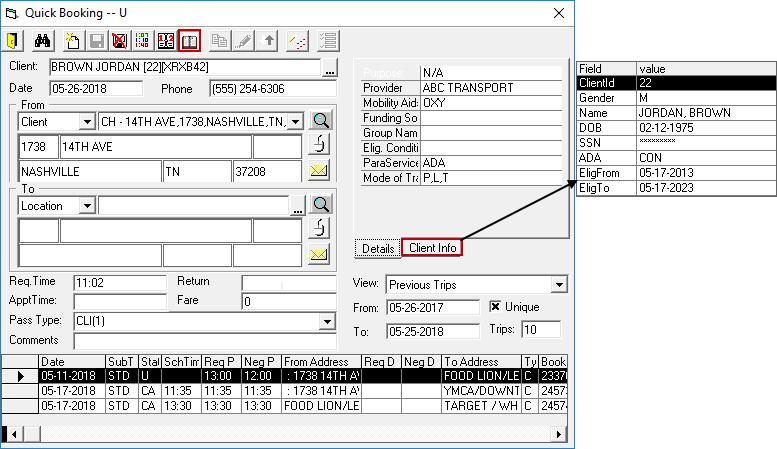
The Trip Confirmation grid at the bottom of the dialog box shows client trips that meet the defined View criteria.
If you cannot access Quick Booking, contact your PASS system administrator to enable this feature.