
About Date Intervals
The Date Intervals tool defines the rules that apply to trips, runs, or other PASS events over specified periods of time.
Date interval data can be accessed from the Trip Booking, Trip Administration, and Runs screens, as well as the ToDo Items dialog box.
Instead of selecting a day of the week when working on different combinations of subscription
trips, you can define a set of rules for a date interval that can apply to the trips in the Date
Intervals Summary dialog box. For your convenience, refer to this list instead of entering all of
the individual rules that apply to the subscription trips.
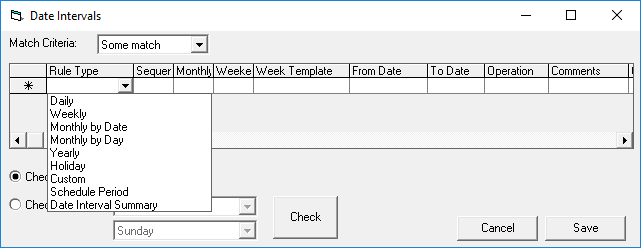
For example, you can set up a subscription trip for every other Tuesday and the first day of every month except statutory holidays. When you set the PASS Booking Client system properties, select a date interval as the default, which automatically applies to any subscription that does not have a date interval defined for it.
Date intervals are defined in the Date Interval Summary dialog box and create the rules that
are associated with the date interval in the Date Intervals dialog box.
Note: Customer Care: If the client has a really old database, a DBQ
(CreateDateIntervalsFromBookingIntervals.sql) may need to be run to move information from the
old BookingIntervals table to the DateIntervals table. If you can't locate the DBQ, contact PASS
Development.