Applying Combine Hard Rules
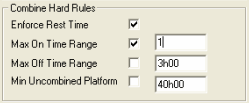
Set the Combine hard rules that the system will use to match runs.
-
In the Combine Hard Rules pane, select the check box
beside the Max On Time Range field and overwrite the
value set by default in the right field with 1.