Place text in quotation marks for exact match search results.
Selecting Service Groups for New or Updated Deadheads
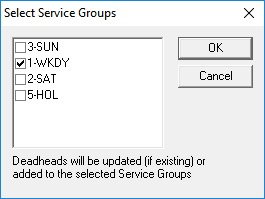
You can select service groups to which you want to add the new or updated deadheads
using the Select Service Groups dialog box.
When you add or update distances of deadheads, that is,
pull-out or pull-in or interline deadheads, a message appears that asks if you want to update
existing interlines.
Click Yes.
The Select Service Groups dialog box appears.
Select the service groups to which you want to add the new or updated deadheads and
click OK.
Only the service groups selected are updated. If you change the deadhead in the
grid, only the service group set as the default is updated.