
Yard Management New Features
Yard management enhancements have been added in v21.0, v21.1, and v21.2.
General
-
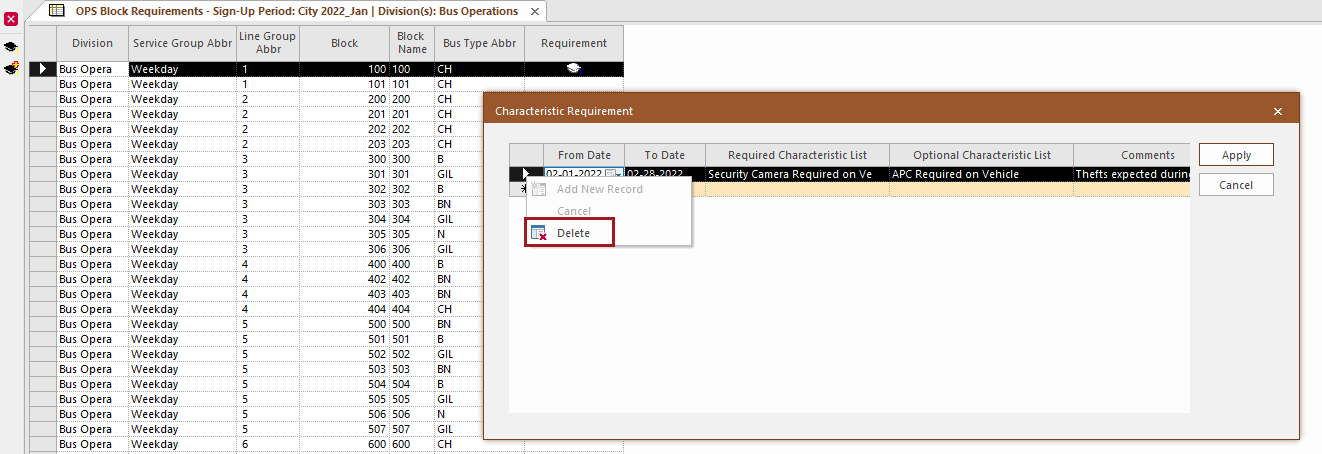
In the OPS Block Requirements screen, Characteristic Requirement records can now be deleted using right-click and then Delete.
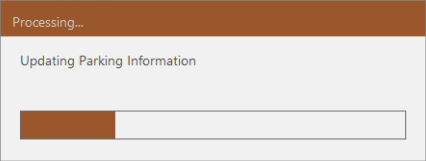
- When
updating parking grid definitions, a progress bar now shows how long updates should
take.
- In the Daily Vehicle Attributes screen, a
Color option is now available.
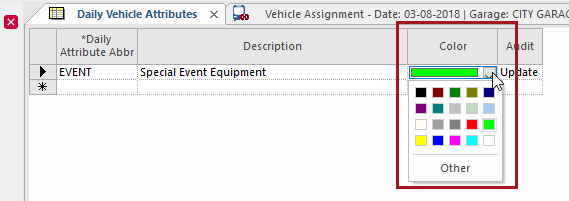
There are 20 colors that can be applied to defined daily vehicle attributes.
In the Vehicle Assignment screen, in Block Characteristics, tag symbols are used to indicate the daily attributes that apply to each vehicle. The color of the symbol(s) in the Vehicle Daily Attributes field match(es) the color(s) defined for the associated daily vehicle attribute(s). Hover over tag symbols in grid view to see a tooltip with additional information.
- In the Vehicle Assignment screen, in the
Assign Vehicle dialog box, a vehicle Fast Find option (Vehicle
Number) is now available.
To use this feature, the property must be selected. You can search Vehicle Number using the vehicle license number or the vehicle number.
- In
the Vehicle Assignment screen, when hovering over a vehicle in the
parking grid, the home garage and maintenance remarks and comments are visible in the
tooltip.
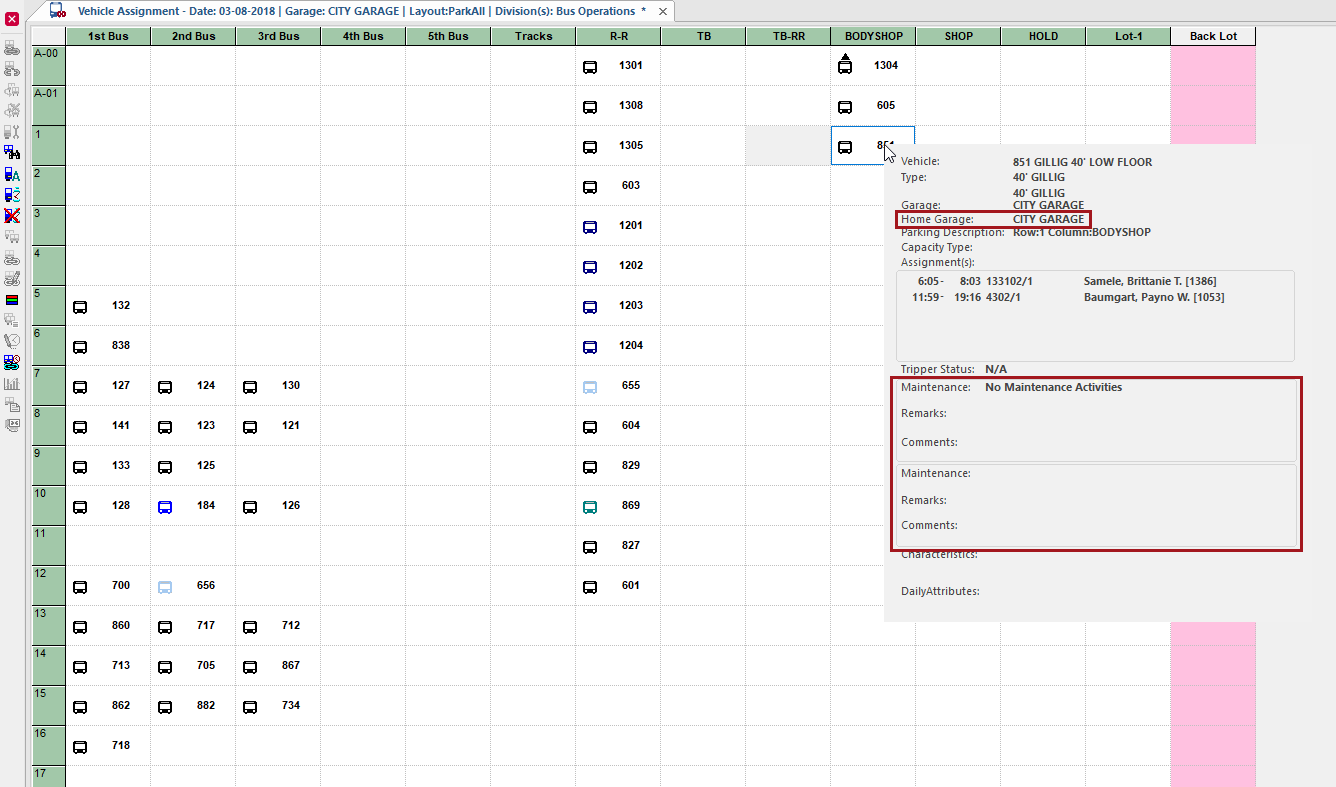 Note that the Enable Tool Tip after x seconds option in the screen Context (F3) must be set for this feature to work.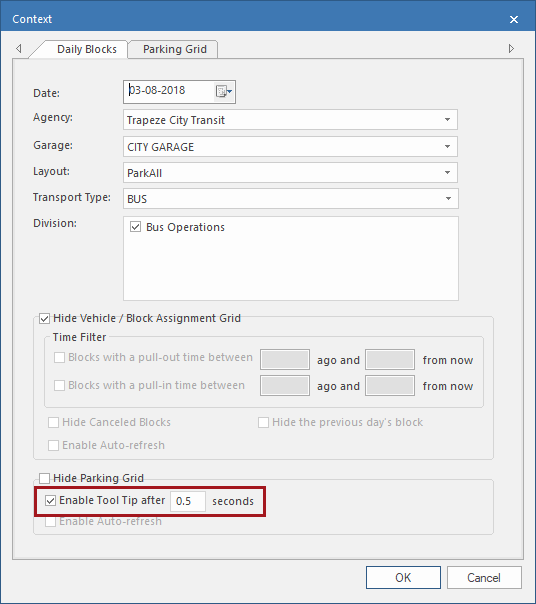
Vehicle Maintenance Import
-
In the OPS Vehicle Profile screen, MDT IDs must be unique.
-
In the Parking Grid Definition screen, a warning message now appears to let users know that renaming parking grid rows or definitions may affect future imports.
To use this feature, the and properties must be set.