
Creating Hold-Downs from Hold-down Management
Create hold-downs from the Hold-down Management screen.
-
Open the Hold-down Management screen and set the Context
(F3).
Available options are From Date, To Date, Agency, Divisions, and Absence Types.
-
Select Create Hold-down:
 The Create Hold-down dialog appears.
 - Specify a Date Range.
-
Select the Scheduled Operator.
If the property is enabled, operators must have absences that fall within the From Date and To Date range.A message appears asking you to define a valid hold-down operator.
- Select the Select checkbox for all applicable Hold-down Weeks.
-
Select a Hold-down Operator.
Only employees with an EB (extraboard) bid unit or a Vacation Relief operator with an EB work association can be selected as the hold-down operator.
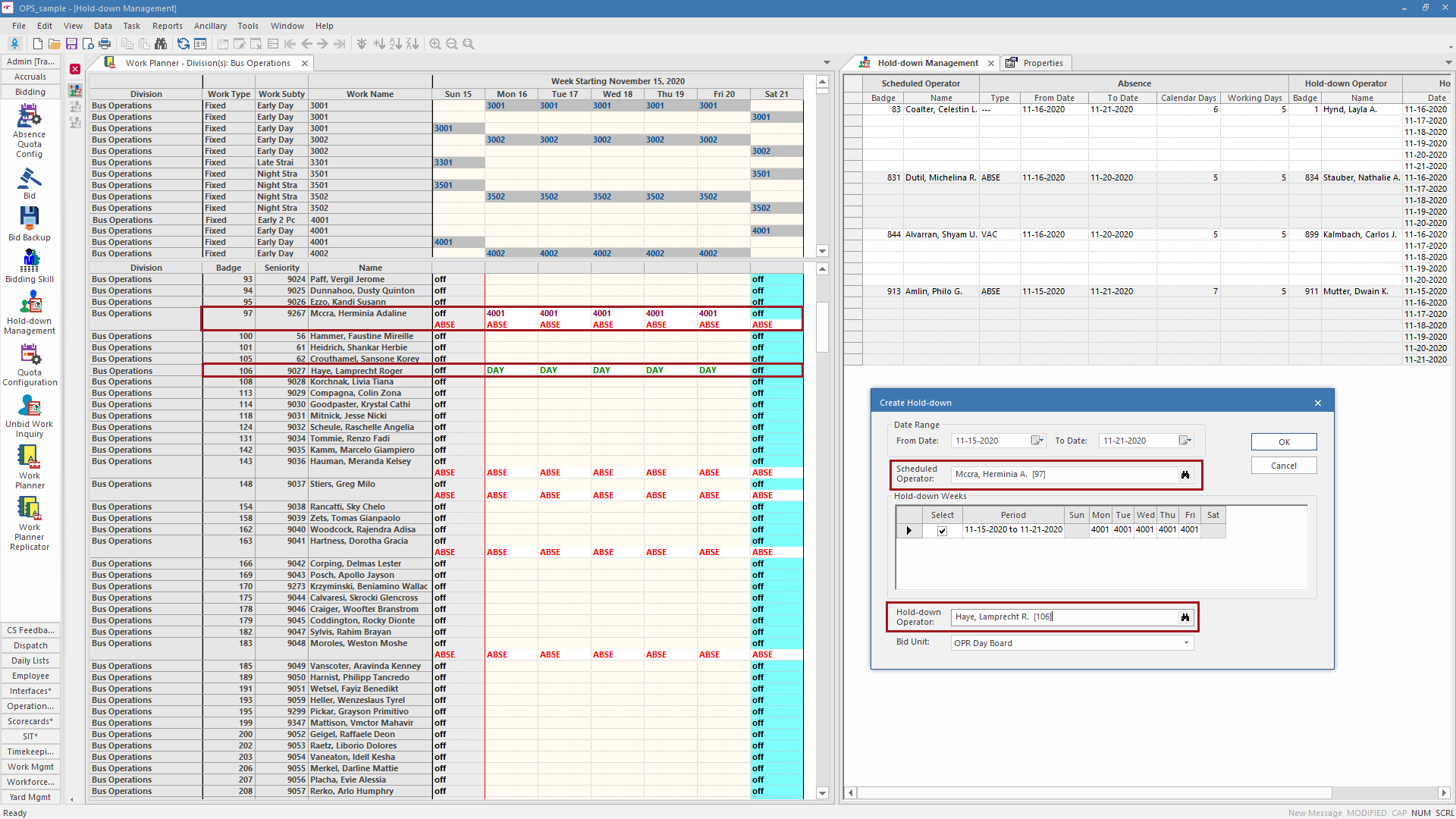
- Select a Bid Unit to apply to the hold-down operator.
-
Select OK.
A message appears to confirm that you want to create a hold-down for [operator], who will take over the work of [operator].
- Select OK.