
Signing in to the System
Sign in to the system by starting the Client Shell.
-
Start the Client Shell (CliShell.exe).
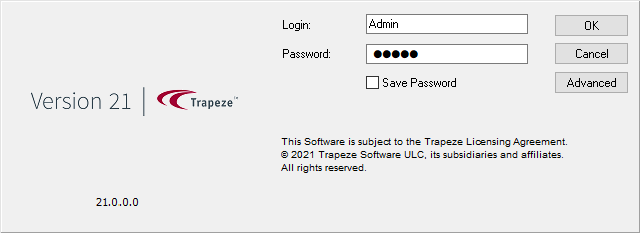
- In the Login field, enter your user ID.
- Enter your Password.
- Optional:
Select Save Password to save your password
information.
You should only save your password if you are the sole user of this computer.
- Optional:
Select Advanced to change connection information:
Option Description Profile Select the correct Service Shell profile. Server Enter the name of the Service Shell server. Port Enter the port number for the Service Shell. Skip Workspace Select this option to start the Client Shell without loading the workspace. - Select OK.