
Updating OPS Client Files
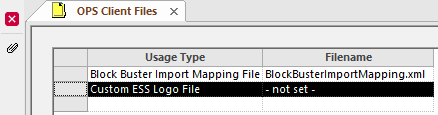
Client files that serve a specific purpose are added in the OPS Client Files screen.
- In the Client Shell, open the OPS Client Files screen.
-
Select the Usage Type to be updated.
-
Select Update attached client file:

-
Use the ellipsis button (…) to navigate to and select
the file.
Custom ESS Logo Files should be one of the following: .bmp, .gif, .jpg, or .png.
- Select Save.