
Acknowledging Personal Messages on Smaller Screens
You can acknowledge that you've received personal messages.
-
Select menu (
 ), then .
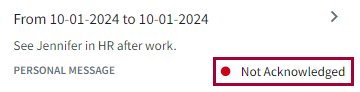
Messages that should be acknowledged are marked with a solid red dot (
), then .
Messages that should be acknowledged are marked with a solid red dot ( ).
). -
Select a message.
-
In the Inbox dialog, select
Acknowledge.
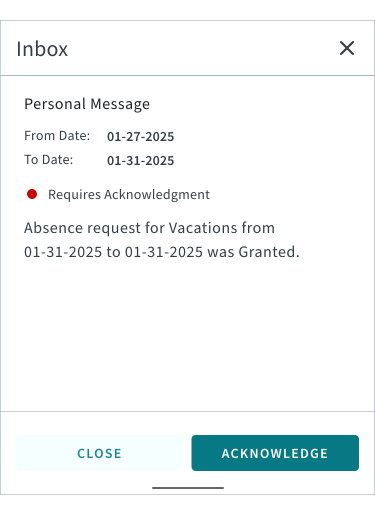
If messages aren't acknowledged by their To Date, they're moved to the Archived Messages page.