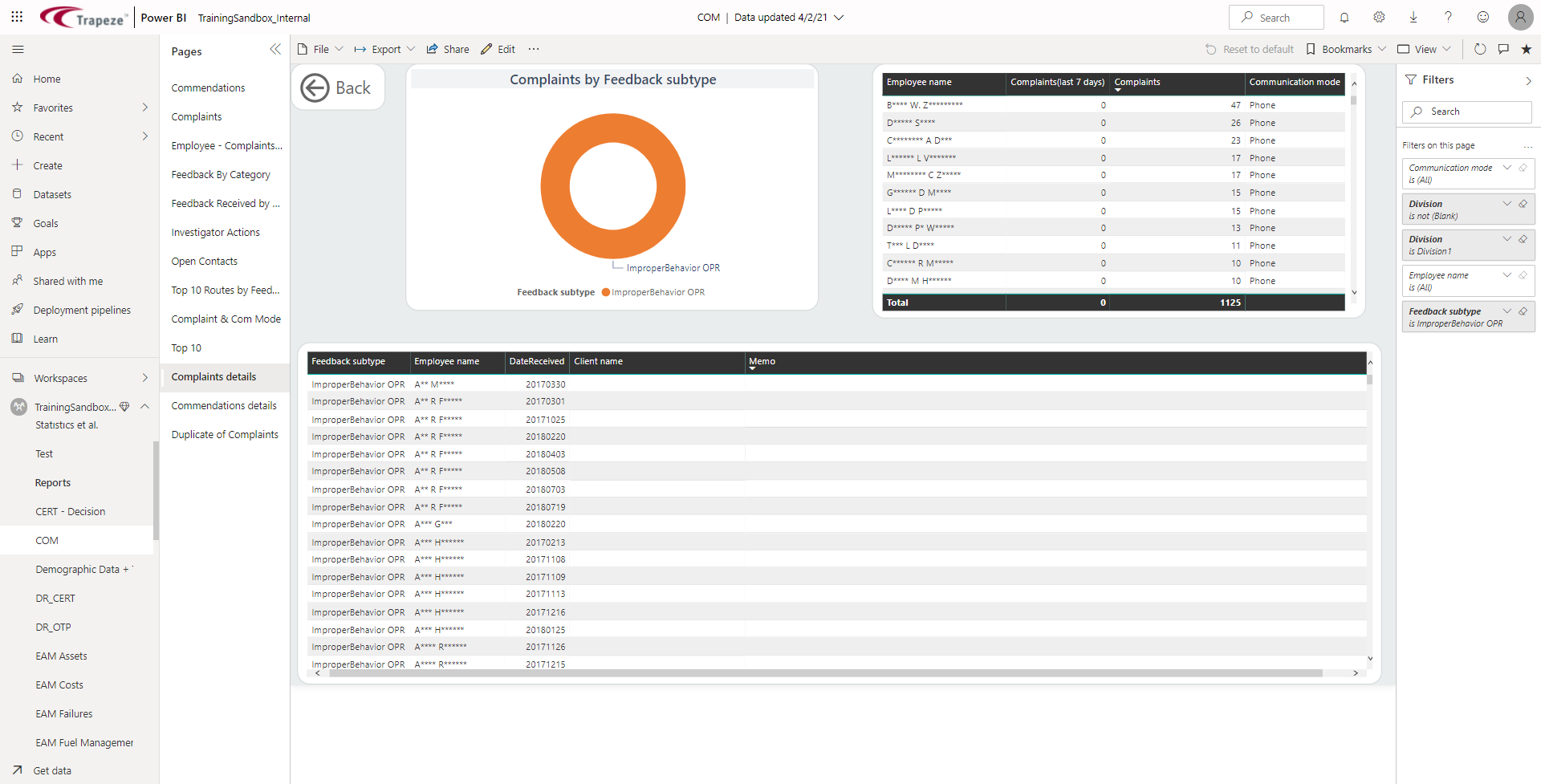
Using Drillthrough
Using drillthrough allows you to view details related to data shown in visuals.
Tip: To see if a visual contains a
drill through option, hover over it and look for the words Right-click
to drill through in the tooltip.
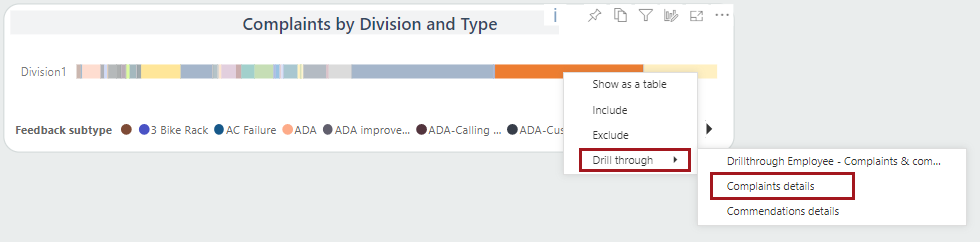
To view drillthrough data applied to the visual, right-click on a data point,
select Drill through, then an available option.
If an available option looks like Page 1 [report
name], then the drill-through uses a second report (it is a
cross-report drillthrough).
The selected drillthrough report page appears.